
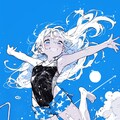
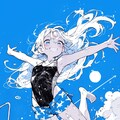
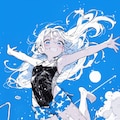
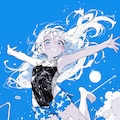
メイキング「夏飛行」|Making "Summer Flight"
2024年7月に作った結構前のイラストなので、今ならこう作る、という手順も一緒に書いていきます。
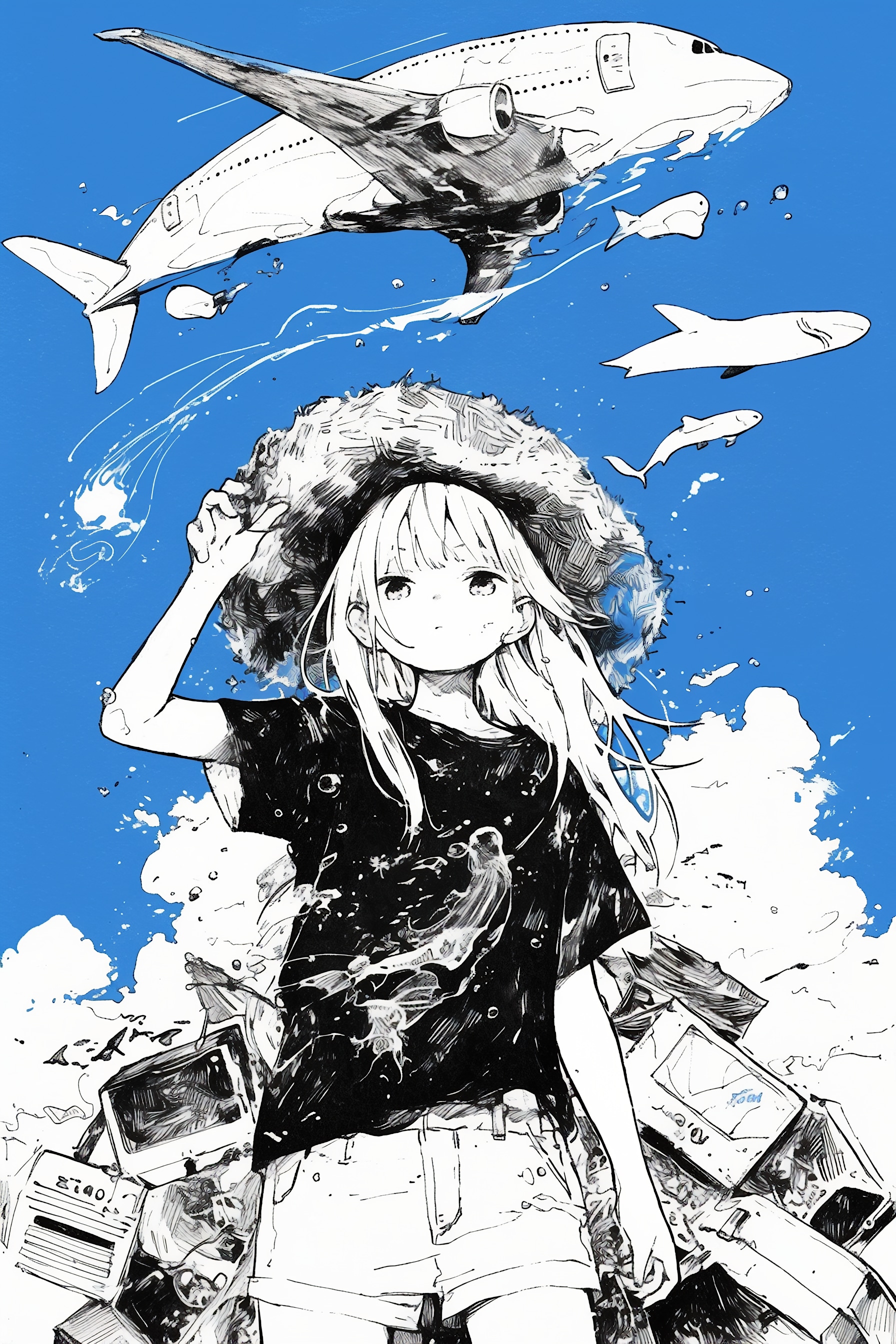
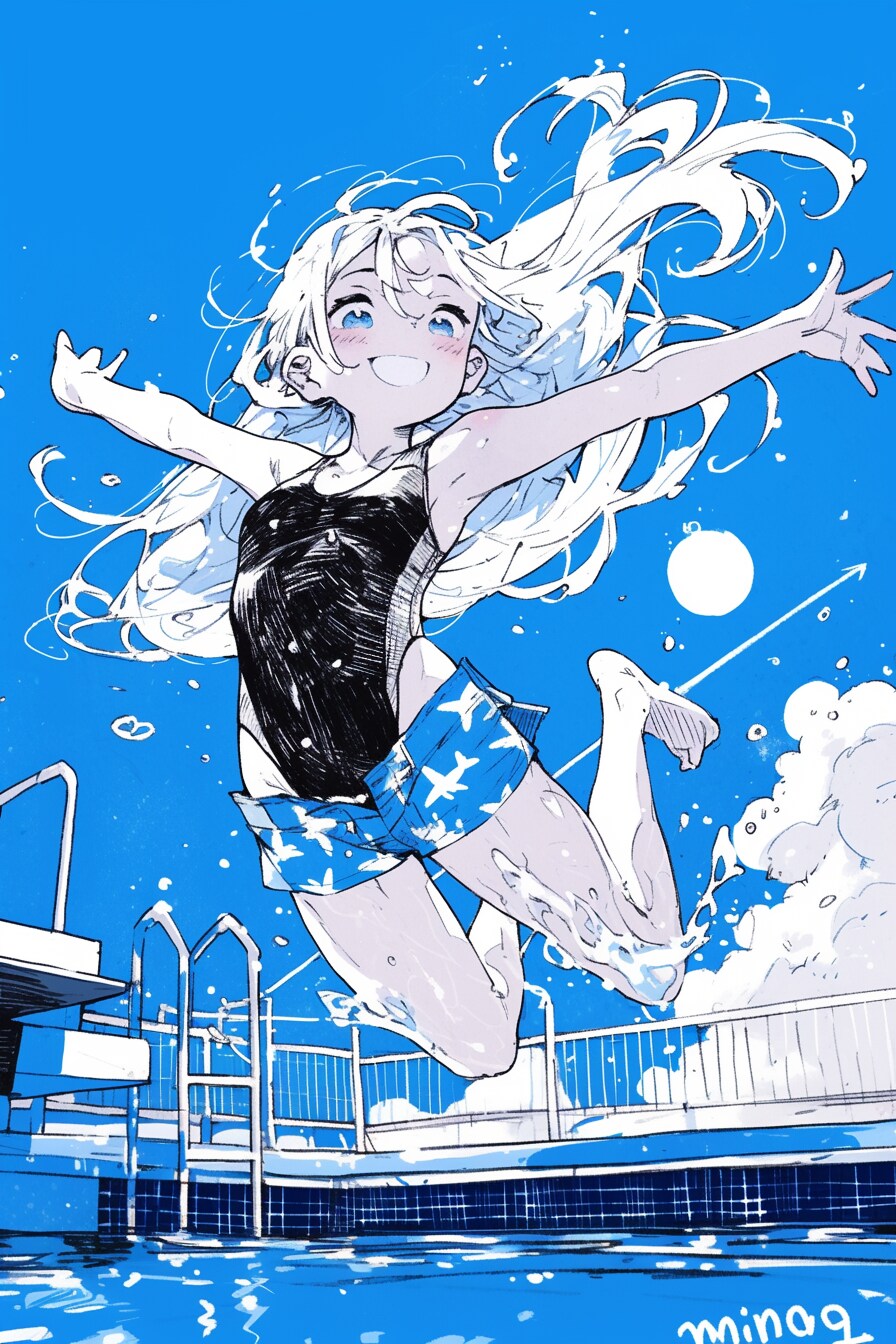
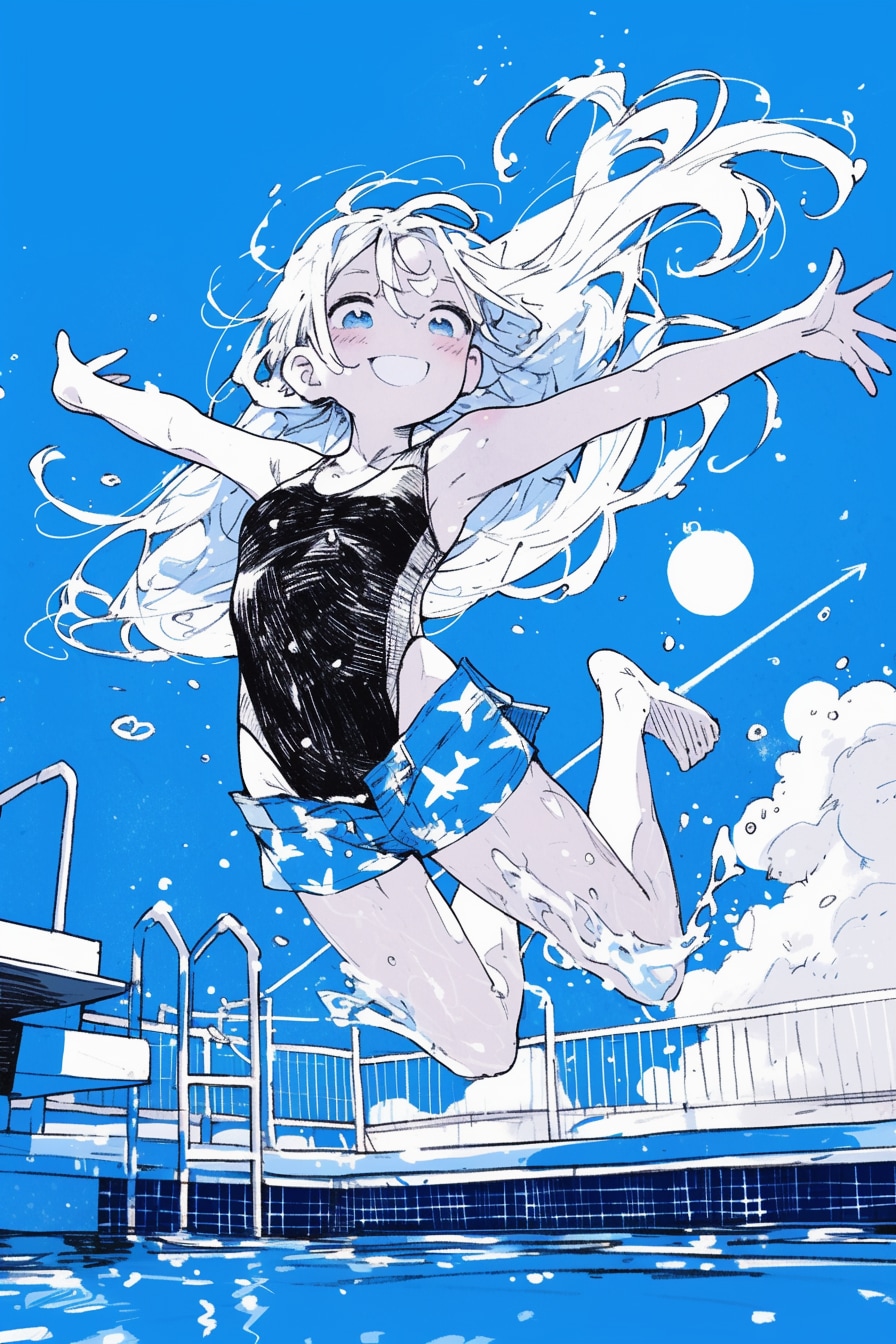
このページに掲載されているプロンプトなどの情報は1枚目のイラストのものです。
「夏飛行」の詳細は下記作品ページにてご覧ください。
「夏飛行」
https://www.chichi-pui.com/posts/3c9d3a63-aecc-438e-b620-ce002fb23483/
工程1) テーマ・コンセプト決め
作品のテーマとその切り口を考えます。
普段のイラストは日頃ふと感じたことから作ったものと、手を動かしながら作ったものとで半々です。
たとえば「町を歌う」「みんなの家」は前者で、「この空は青い家」「人の巣」は後者です。
これらはすべて、比喩・暗喩表現を骨子とした作品です。
「町を歌う」※クジラの背中に乗った町のような世界、の比喩
https://www.chichi-pui.com/posts/f5d84b28-2a4e-4115-a3d1-e14d9a86482b/
「みんなの家」※家の中で暮らすように町の中で暮らす野良猫、の比喩
https://www.chichi-pui.com/posts/cfa04db9-317a-4a22-a847-b6da1dd94771/
「この空は青い家」※ブラーノ島の町の家のように青い空、の比喩
https://www.chichi-pui.com/posts/37010b85-92ae-4342-a526-41a986a8d6f8/
「人の巣」※雛鳥のような町、の比喩
https://www.chichi-pui.com/posts/6092af9c-68cb-415d-99c3-a1483f975859/
「夏飛行」は前者で、プールに飛び込むの楽しかったな+あの夏見た飛行機雲よかったな、からできたイラストです。
「夏空に雲を引く飛行機のように、青空色したプールに飛び込む女の子」というキャプションそのままの絵を作ろうとしました。
体験に基づくイラストは引き出しに限りがありますが、表現したいことが明確なぶんAIに踊らされにくくなります。
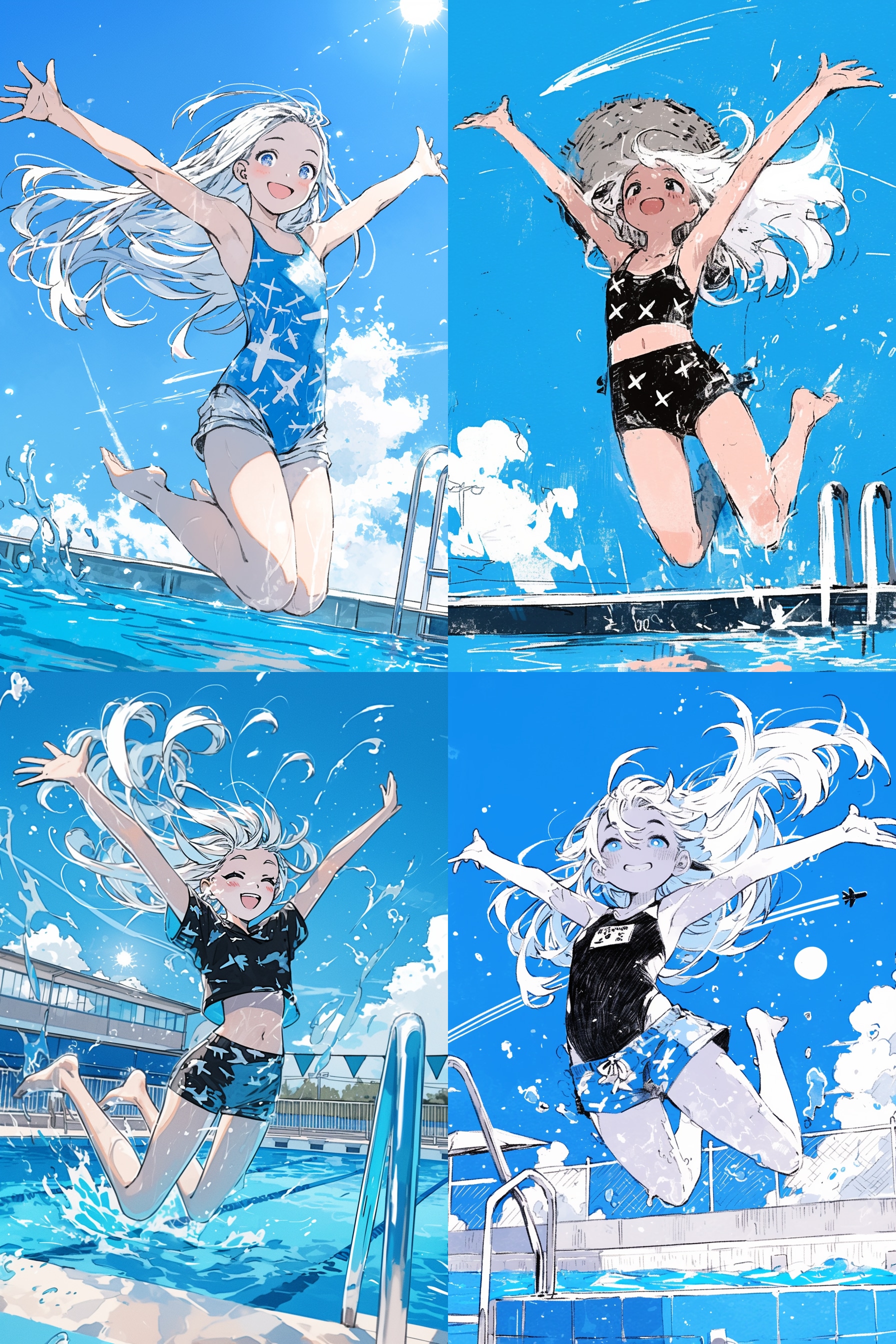
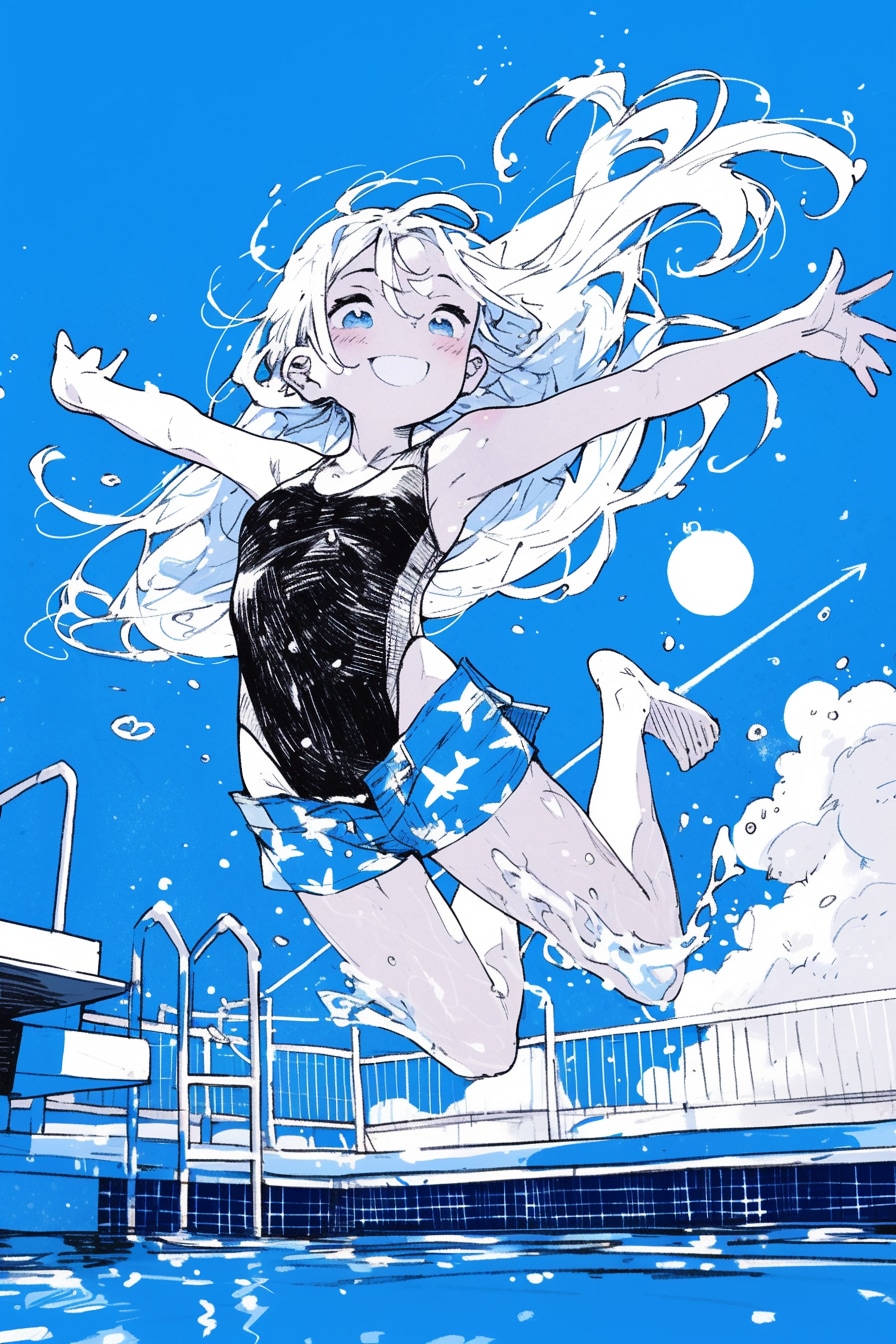
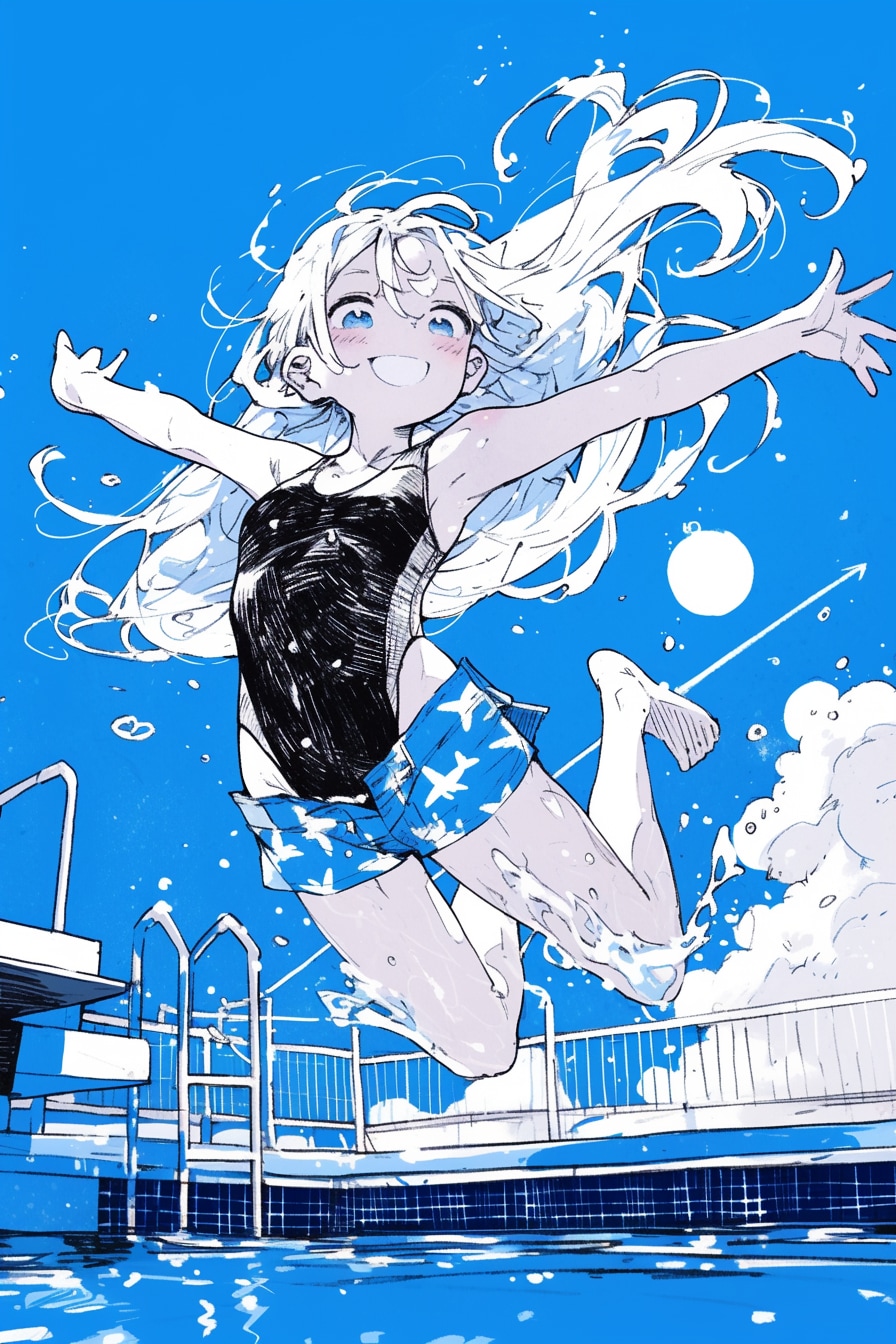
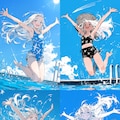
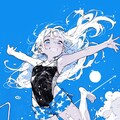
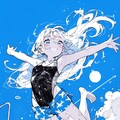
工程2) 生成 *2,3枚目
プロンプトを足したり引いたりしながら、にじジャーニーで構図と絵柄を作ります。
夏飛行では、優先度順に以下の3つがOKテイクの条件でした。
1. 飛行機が雲を引いている
2. ダイナミックにジャンプしている
3. 水着の上に短パンを履いている
この工程では後から修正する前提で、細かい部分は無視して骨組みを作りました。
水着の上に短パン、は着替える時間すら惜しんで夏に飛び込むわくわく感と、背徳感を演出しました。
ちなみに、ここで狙った絵になってくれた場合、あとは必要に応じて微修正して完成です。
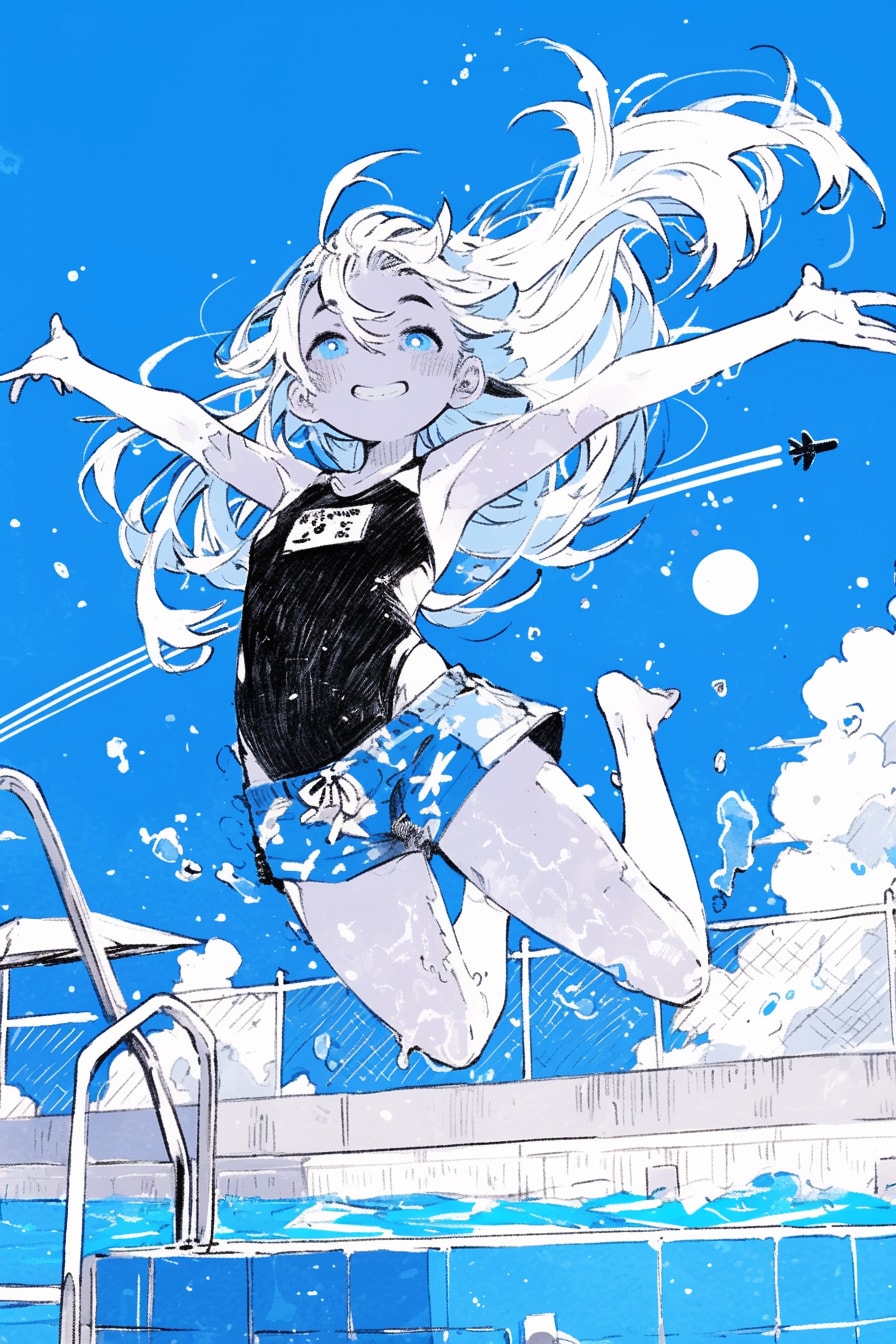
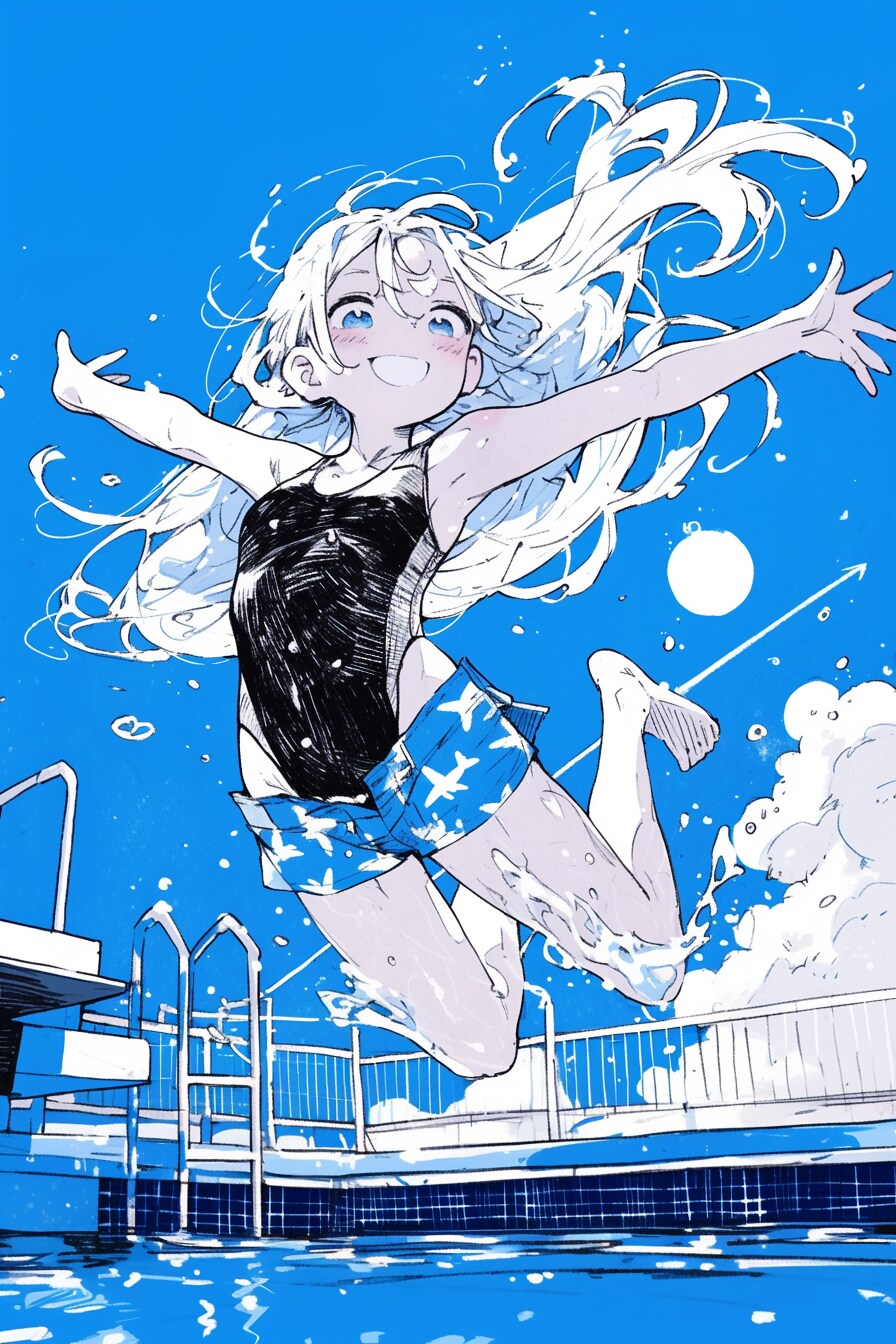
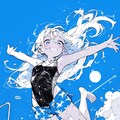
工程3) 全体の絵柄調整 *4枚目
全体をi2iして絵柄を調整します。
前工程の3つの条件部分が、さらに際立ってくれると嬉しいです。
あと名札が消えて、市民プールっぽくなって、きちんと水の上を飛んでくれたら理想的です。
ここでは、にじジャーニーのVariations機能のSubtleを使いました。弱めの変換です。
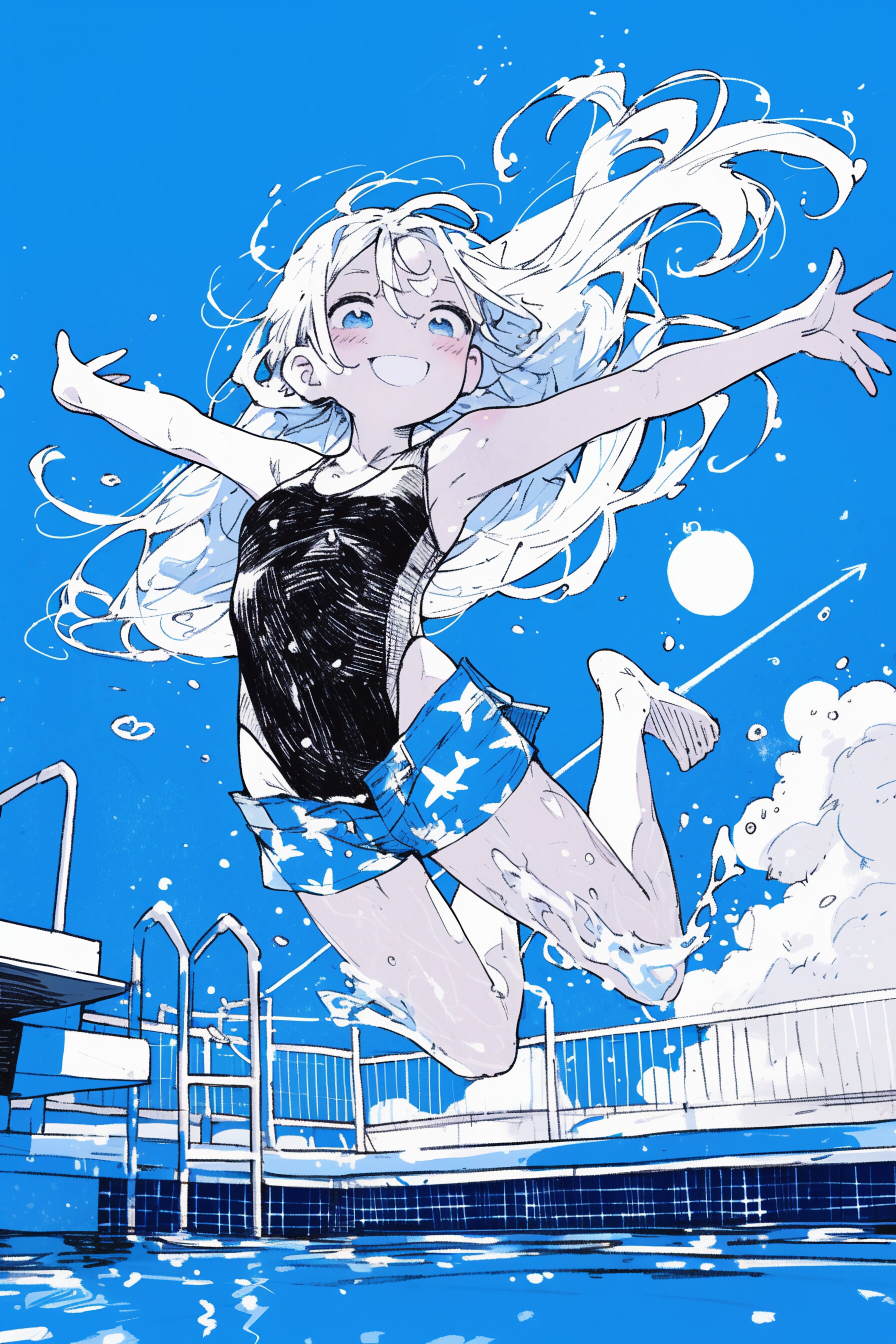
その結果、一眼レフカメラの写真を意識した2:3の解像度が生かされた、ダイナミックな構図になってくれました。
また、飛行機が短パンに移って飛行機雲が矢印に変わったことで、飛行機みたいに飛び込む比喩が強調され、焦点が女の子に合いました。
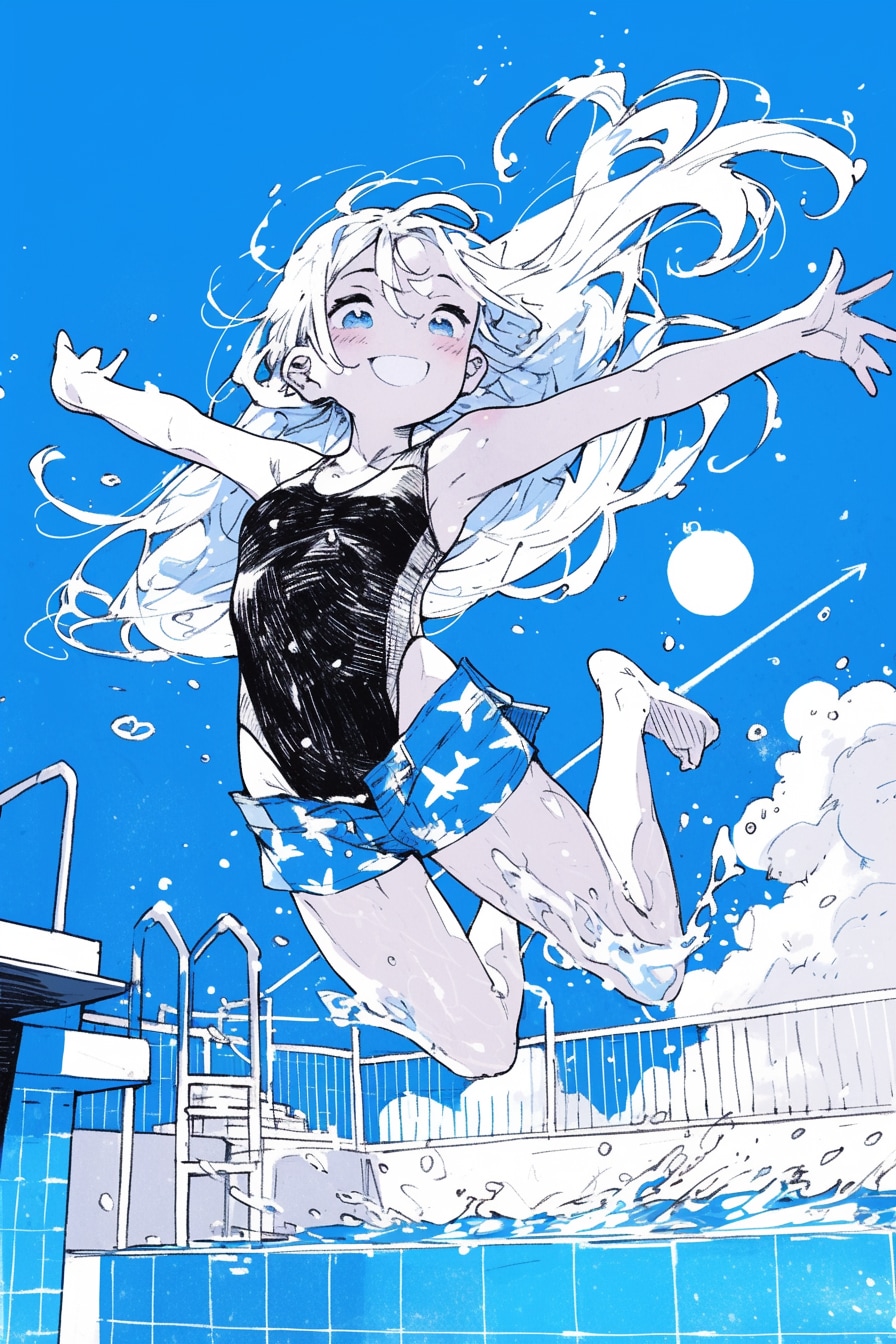
工程4-1) 部分修正: プール *5枚目
大枠の固まった絵に部分修正を加えます。
全体のi2iでは水の上を飛んでくれなかったので、下部分の広範囲を思い切って修正します。
水面ぎりぎりからのアングルで、女の子との対比で静かな水面になってほしいです。
ここでは、にじジャーニーのVariations機能のRegion、矩形範囲選択で修正しました。
狙ったアングルと水面になり、濃い色のプールのタイルのおかげでイラストにコントラストが生まれました。
膝の水しぶきが目立つようになりましたが、泳ぐのを待ちきれない早る気持ちや、夏の予感のように感じられたので残しました。
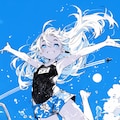
工程4-2) 部分修正: 足と文字 *6枚目
太ももとふくらはぎの太さが気になります。
水泳部っぽい筋肉のつき方ですが、ここではごく平凡な女の子に飛び込んで欲しいので微修正を加えます。
テーマ的にも解剖学的にも、感情移入できるくらいのリアリティがほしいです。
修正は上記に加えて足の指の修正と、水面の文字の削除を同時に行いました。
いずれも自由範囲選択で、必要最低限の箇所だけを変換しています。
「夏飛行」制作時は修正した絵にさらに修正を加えるシリアルな直し方でしたが、今なら画質向上のためパラレルで直します。
具体的には、工程4-1)で出力したイラストに対して工程4-2)〜4-4)の部分修正を別々に行ったのち、編集段階で各修正内容をくっつけます。
i2i回数を揃えてマージすると、i2iによって低下した画質の影響による違和感がなくなります。
このイラストでは合計5回i2iをくぐらせていますが、この方法だとその画質低下を3回分に減らせます。
手作業の編集を加える前提で工程3)の出力をベースに修正すれば、画質低下は2回分になります。
工程4-3) 部分修正: 表情 *7枚目
もっと、飛び込むぞー飛び込むぞー、みたいな期待に満ちた目になってほしいです。
プロンプト「sanpaku eyes」の生かされた眉毛とまつ毛になるよう修正します。
ここでも自由範囲選択で部分修正を行いました。
この絵にかぎらず、目元だけ直したら思ったニュアンスが出てくれた、ということも多いです。
工程4-4) 部分修正: 手と耳 *8枚目
手指と耳がすこし汚いのを直したいです。
プロンプト「open hands」を追加して、自由範囲選択で両手と両耳を同時に修正しました。
以上で、にじジャーニーでの作業は完了です。
工程5) 編集 *9枚目
GIMPでイラストに編集を加えます。
https://www.gimp.org/
ここでは、i2iによる画質低下によって変化した明るさとコントラストを、元の状態に近づけました。
後のアップスケールで明るさと色味が増すことを加味して、工程3) と同程度に調整しています。
この工程での編集作業は、当時と今とでは少し違っています。
元のニュアンスに近づけるところは同じですが、白飛び・黒つぶれを避けるためコントラストはなるべくそのままにしています。
また、i2i部分に発生したジャギーなどを手描きで修正するほか、必要に応じてシャープやホワイトバランスを調整しています。
ホワイトバランスの自動補正機能を使う場合もあれば、RGBチャンネルの各レベルを手動調節する場合もあります。
自動補正機能は調節が効かないのですが、補正後の絵を元の絵に重畳して、透明度を上下させることで微調整しています。
工程6) アップスケール *10枚目
waifu2xでイラストをアップスケールします。利便性が良いため、クラウド版を主に利用しています。
https://www.waifu2x.net/
スタイル・拡大・画像形式の設定は常に「写真」「2x」「PNG」で使っています。
スタイルを「写真」にしているのは、他の設定に比べて仕上がりがナチュラルに感じられたためです。
素材感を残した繊細なタッチを要求することが多いので、この設定固定になりました。
アップスケールは必ず、ノイズ除去「なし」と「中」のふた通りの出力を、実寸表示で比較します。
ノイズ除去が十分か、ピンボケしすぎていないか、質感が失われていないかなど全体をチェックして適切な設定を選びます。
「夏飛行」は画質の低下が影響してか、設定「中」だと汚れが目立ったので「高」に変更しました。
フラットな絵柄のイラストにしたかったのも、設定を変更した理由のひとつです。
にじジャーニーのアップスケーラーは、求めるニュアンスと違う場合がほとんどなのでごく稀にしか使いません。
この工程も以前とは少し作業内容が変わっています。
まず、ノイズ除去「高」と「最高」はほぼ使わなくなりました。
ノイズ除去の強度を上げるよりも、アップスケール前編集でシャープをかけた方が鮮明な絵になるためです。
ただ、シャープにしすぎると過剰にノイズ除去されて逆にピンボケすることがあるので、その都度注意しています。
ノイズ除去しない・できない場合は、絵のニュアンスが崩れない範囲で、除去するときよりも強めにシャープをかけます。
4倍サイズへの拡大はunlimited:waifu2xを使います。こちらはブラウザ版です。
https://unlimited.waifu2x.net/
クラウド版と比べてきめ細やかになる印象で、個人的にはこちらの方が好みです。
ただ、そのぶん容量が増えたり、拡大に時間がかかったりするため両者は使い分けています。
固定設定は「Model: swin_unet / photo」「Tile: 640」「TTA: 0」「Alpha Channel: Disable」です。
waifu2x公式のドキュメントによると「swin_unet / photo」モデルは学習にGANを使用しているそうです。
学習にGANを使っているモデルでは、TTAの設定は無視されるとのことですので、TTAの値は任意で良いと思われます。
あとは、Upscalingを「4x」に、DeNoiseを任意の値に設定して拡大を実行すれば作業完了です。
なお、2倍拡大済みのイラストをさらに2倍拡大すると画質が低下するので、4倍拡大する際は必ず未拡大のファイルを使用します。
以上の工程を経て「夏飛行」は完成しました。このような感じで、日頃イラストを制作しています。
ご質問などございましたら、お気軽にコメントください。•'-'•)و
最後までごお付き合いくださり、どうもありがとうございました!
イラスト: 夏紀行
*
I'd like to introduce my regular illustration process while referencing "Summer Flight," which won an award at the Chichi-pui swimsuit contest.
Since this illustration was created in July 2024, I'll also include how I would approach it differently today.
The prompts and other information on this page are for the first illustration.
For more information on "Summer Flight," please see the following work page.
"Summer Flight"
https://www.chichi-pui.com/posts/3c9d3a63-aecc-438e-b620-ce002fb23483/
Process 1) Theme & Concept Decided
I start by considering the theme and approach for the artwork.
My usual illustrations are split equally between those inspired by sudden everyday realizations and those that develop while working with my hands.
For example, "Sing About Town" and "Everyone's Home" are the former, while "This Sky Is a Blue House" and "Human Nest" are the latter.
These are all works that have metaphor and allusion as their framework.
"Sing About Town" *A metaphor of a world like a town riding on a whale's back
https://www.chichi-pui.com/posts/f5d84b28-2a4e-4115-a3d1-e14d9a86482b/
"Everyone's Home" *A metaphor of stray cats living in town as if in a house
https://www.chichi-pui.com/posts/cfa04db9-317a-4a22-a847-b6da1dd94771/
"This Sky Is a Blue House" *A metaphor for a sky as blue as the houses in the town of Burano
https://www.chichi-pui.com/posts/37010b85-92ae-4342-a526-41a986a8d6f8/
"Human Nest" *A metaphor of a town like baby birds
https://www.chichi-pui.com/posts/6092af9c-68cb-415d-99c3-a1483f975859/
"Summer Flight" is an illustration of the former, which was created by thinking about how fun it was to jump into the pool and how nice it was to see the airplane clouds that summer.
I aimed to create an illustration that directly represented the caption: "A girl diving into a sky-blue pool like an airplane drawing clouds in the summer sky."
Illustrations based on experience are limited in number, but the clarity of what I want to express is less likely to be drowned out by AI.
Process 2) Generation
I use niji journey, adding and removing prompts to create the composition and style.
For "Summer Flight," these were the three OK-take conditions in order of priority:
1. An airplane drawing clouds
2. A dynamic jumping pose
3. Wearing shorts over a swimsuit
At this stage, I focused on creating the basic structure, knowing I could modify details later.
The shorts over the bathing suit created a sense of excitement and immorality of jumping into summer without even taking the time to change.
Incidentally, if the desired image is achieved at this point, I only make necessary minor adjustments and complete.
Process 3) Overall Style Adjustment
Convert the entire image and adjust the illustration pattern.
Ideally, I want the three conditions from the previous step to stand out more.
Also, it would be ideal if the name tag disappeared, made it look like a civic pool, and if it flew over the water properly.
I used niji journey's Variations feature with Subtle setting for mild transformation.
This resulted in a dynamic composition that utilized the 2:3 resolution reminiscent of DSLR photography.
The airplane moving to the shorts and the contrail becoming an arrow emphasized the metaphor of diving like an airplane, bringing the girl into focus.
Process 4-1) Partial Modification: Pool
Partial modifications are made to the illustration once the framework is solidified.
Since the overall i2i didn't achieve the effect of flying over water, I decided to modify a large area of the lower section.
I wanted a quiet water surface from a low angle to contrast with the girl.
Here, I used Region in the Variations function of niji journey and modified it with a rectangular range selection.
This achieved the desired angle and water surface, while the dark pool tiles created contrast in the illustration.
The splashes on her knees became more noticeable, but I left them as they were because I felt like she couldn't wait to swim and the anticipation of summer.
Process 4-2) Partial Modification: Legs and Text
The thigh and calf sizes needed adjustment.
She has the muscle tone of a swimmer, but here I want a very ordinary girl to jump into the pool, so I will make slight modifications.
Both thematically and anatomically, I wanted enough realism for viewers to empathize with.
Along with these changes, I modified the toes and removed text from the water surface.
All modifications were made using free-form selection, changing only the necessary areas.
While "Summer Flight" was modified serially, now I would make modifications in parallel for better image quality.
Specifically, I would apply modifications 4-2 through 4-4 separately to the image from step 4-1, then combine the modifications during editing.
By merging illustrations with the same number of i2i executions, it is possible to eliminate the discomfort caused by the effect of image quality degraded by i2i.
This illustration underwent 5 i2i iterations, but this method would reduce quality loss to 3 iterations.
Using Process 3 output as a base for modifications with manual editing would reduce quality loss to 2 iterations.
Process 4-3) Partial Modification: Expression
I wanted eyes that expressed more anticipation, like "I'm gonna dive! I'm gonna dive!"
I modified the eyebrows and eyelashes to incorporate the "sanpaku eyes" prompt.
I used free-form selection for partial modification here as well.
Often, just adjusting the eye area achieves the desired nuance, not just in this illustration.
Process 4-4) Partial Modification: Hands and Ears
I wanted to clean up the slightly messy hands and ears.
The prompt “open hands” was added, and the free range selection feature was used to modify both hands and both ears.
This completed the niji journey phase of the process.
Process 5) Editing
I use GIMP to edit the illustration.
https://www.gimp.org/
Here, I adjusted the brightness and contrast that had changed due to i2i quality loss, bringing them closer to their original state.
The brightness and color are adjusted to the same level as in process 3), taking into account the increase in brightness and color in the later upscaling.
Editing in this process is a little different now than it was then.
While I still aim to maintain the original nuance, I now try to preserve contrast to avoid white burnout and black crushing.
I also manually correct jagged edges from i2i areas and adjust sharpness and white balance as needed.
Sometimes I use automatic white balance correction, other times I manually adjust RGB channel levels.
While the auto-correction feature isn't adjustable, I can fine-tune by overlaying the corrected image onto the original and adjusting opacity.
Process 6) Upscaling
I use waifu2x for upscaling, primarily the cloud version for convenience.
https://www.waifu2x.net/
I consistently use "Photo" style, "2x" enlargement, and "PNG" format.
The style is set to "Photo" because the finished product looks more natural than other settings.
This became my fixed setting as it preserves the delicate touches and material textures I often require.
I always compare two outputs with noise reduction "None" and "Medium" at actual size.
I check whether noise reduction is sufficient, if there's too much blur, if textures are preserved, etc., to choose the appropriate setting.
Perhaps because of the reduced image quality, “Summer Flight” was changed to “High” because the dirt was noticeable at the setting “Medium”.
Wanting a flat illustration style was another reason for this change.
I use the niji journey upscaler only on rare occasions, because most of the time it is not the nuance I am looking for.
This process is also slightly different from the previous.
I rarely use "High" or "Highest" noise reduction now.
Adding sharpening during pre-upscale editing produces clearer images than increasing noise reduction.
However, too much sharpening can lead to excessive noise reduction and blurring, so I monitor this carefully.
When noise reduction isn't used or impossible, I apply stronger sharpening within limits that preserve the illustration's nuance.
Use unlimited:waifu2x to enlarge to 4x size. This is the browser version.
https://unlimited.waifu2x.net/
I personally prefer this over the cloud version as it produces finer details.
However, I use both depending on the situation due to larger file sizes and longer processing times.
My fixed settings are "Model: swin_unet / photo," "Tile: 640," "TTA: 0," "Alpha Channel: Disable."
According to waifu2x documentation, the "swin_unet / photo" model uses GAN for training.
For GAN-trained models, TTA settings are ignored, so this value can be arbitrary.
Then, set Upscaling to "4x," DeNoise to preferred value, and execute the enlargement to complete the process.
To avoid image quality degradation, I always use the original file before enlargement for 4x upscaling, rather than further upscaling a 2x enlarged image.
The "Summer Flight" was completed through the above process. This is how I produce illustrations on a daily basis.
If you have any questions, please feel free to comment.•'-'•)و
Thank you very much for following along until the end!
Illustration: Summer Journey
*
(Model)
niji journey V6
(Upscaler)
waifu2x *2x / Photo / NR: Medium
(Last Seed)
3882162849 / 3947025995
(i2i Count)
3 times / Whole conversion by strong/subtle remix and partial modification. *Total count is 4 times.
(Manual Adjustment)
Merge fixes, Handwritten, Sharpness
Prompt:
1girl, small girl, everything is blue colors, transparency, extremely detailed line art, kawaii, vapor trail, cute illustration, airplane patterned shirt, short pants, oversized straw hat, sun flower, wet white long hair, flat chest, pop designed coordination, eat ice cream, floating in midair, Inside a plastic bottle, in the sea, from below, harmonious colors, blue background, sun, blue sunlight, cumulonimbus, sanpaku eyes, close to viewer, looking up, vibrant colors, beautiful aesthetic, absurdres, highres, very precise detailed cg, official art, 16k, 8k, hyper detailed, highest image quality, ultra-detailed face, ultra-fine brushstrokes:: --s 400 --niji 6 --sref 2412348872 2895306335 --sw 80 --ar 2:3
![【曲】Rusty Beard|[Song] Rusty Beard](https://chichi-pui.akamaized.net/uploads/membership/image_post_images/originals/8a9655a6-385e-4bd9-b55c-71ea99453d46/c15965ef-f69a-4251-a8d6-86c5f5b522ef.jpg?impolicy=thumbnail&w=400&h=210.0&x=2944&y=0)
【曲】Rusty Beard|[Song] Rusty Beard
全体公開
スラムの夜。 A night in the slums. * 下記楽曲のアートワークとして制作しました。 Created as artwork for the music video below. https://youtu.be/MeMBIVUAYGk (Model) Midjourney V8.2 (Size) 5888 x 3296 pixels (Upscaler) unlimited waifu2x *2x / Backend: WebGPU / Model: swin_unet_v3 - Art / DeNoise: None / Tile: 640, Shuffle / Alpha Channel: Disable (Last Seed) 4220947141 (i2i Count) 1 time / Whole conversion by subtle remix. (Manual Adjustment) Handwritten, Sharpness Prompt: sumi-e style cubism, walking in complex merzbau, the heart of the midnight kowloon walled city in 1989 as intricately interwoven as a collage, dilapidated shacks in a run-down crumbling slum, contemporary triangular headpiece completely covers the head, hold the cast-iron pot, a chibi girl blending into the cityscape gazing up at the realistic midnight starry sky, sun-tanned dark skin, kawaii traditional chinese clothing, smooth marbling patern, outrageous dynamic angles, integration of diverse perspectives, dotted, ephemeral ambience, absurdres, highres, exquisitely detailed --v 8.2 --sref 2303749492::2 2739872721::1 1113919285::1 949150375::1 3585218771::1 1250922225::1 2863908640::1 3992661457::20 --sw 20 --sv 6 --s 90 --ar 16:9 --hd --p wnrrlfx --exp 5
![【曲】あっち #55|[Song] That Way #55](https://chichi-pui.akamaized.net/uploads/membership/image_post_images/originals/80c4b43e-3156-468b-a312-8462726a6fd7/e1d44781-5c19-4f5a-bb6a-485e28cd842a.jpg?impolicy=thumbnail&w=400&h=210.0&x=2944&y=0)
【曲】あっち #55|[Song] That Way #55
全体公開
下記楽曲のアートワークとして制作しました。 Created as artwork for the music video below. →⇌←↔⇑↖↓▼↶↜ https://youtu.be/9l05l9I4IaI (Model) Midjourney V8.2 (Size) 5888 x 3296 pixels (Upscaler) unlimited waifu2x *2x / Backend: WebGPU / Model: swin_unet_v3 - Art / DeNoise: None / Tile: 640, Shuffle / Alpha Channel: Disable (Last Seed) 2777857189 (i2i Count) 0 time (Manual Adjustment) Merging 3 variations, Sharpness Prompt: thousand-armed kannon girl, psychedelic, concentric lines, arrow symbols, abstract, vibrant, complex flat illustrations, realistic smooth marbling, ripples on distorted graph paper, dotted, transparency, look away, diverse array of glitch effects, clear white, colorful, beautiful and ephemeral, high contrast, niche character design, kawaii, wavy eyes, zentangle background, portrait, dynamic tilted angles from oblique above, child's body proportions, nostalgic --v 8.2 --sref 1958468279::3 1256473810::1 2303749492::1 2770257201::1 779819511::1 2361630497::2 2690515967::1 970460098::2 657749254::1 1811613415::1 --sw 30 --sv 6 --s 72 --ar 16:9 --hd --seed 2777857189
![【曲】Estate|[Song] Estate](https://chichi-pui.akamaized.net/uploads/membership/image_post_images/originals/2369e28e-d637-43fb-a234-3e55a3861e83/48ff011e-fedd-4b35-8596-5c407c729912.jpg?impolicy=thumbnail&w=400&h=210.0&x=2944&y=0)
【曲】Estate|[Song] Estate
全体公開
モグラの青い家。 The mole's blue house. * 下記楽曲のアートワークとして制作しました。 Created as artwork for the music video below. https://youtu.be/3jdRIbZ3cTc (Model) Midjourney V8.2 (Size) 5888 x 3296 pixels (Upscaler) unlimited waifu2x *2x / Backend: WebGPU / Model: swin_unet_v3 - Art / DeNoise: None / Tile: 640, Shuffle / Alpha Channel: Disable (Last Seed) 108580915 (i2i Count) 0 time (Manual Adjustment) Handwritten, White balance, Sharpness Prompt: textile collage of oil painting, limited palette, soft colors, the girl in the distance waves one hand and calls out cheerfully to the girl in the foreground. a tiny mole peeking out of its hole, awaken from hibernation, walking at forget-me-not flowers farm and cloudy sky scenery, cinematic, look away, fluorescent arrow symbols, unconventional dotted line, cute, round glasses, kawaii pyjamas dress, half-open eyes, sanpaku eyes, white hair, pigtails, blant bangs, dramatic perspective, there is some distance between the two girls, absurdres, highres, exquisitely detailed, very precise detailed, best quality, 16k, highest image quality --ar 16:9 --v 8.2 --s 300 --sref 3217539760::3 3266919641::1 --sw 35 --sv 6 --p wnrrlfx --hd --exp 10
![【曲】Day|[Song] Day](https://chichi-pui.akamaized.net/uploads/membership/image_post_images/originals/f6327dcc-21aa-4c99-847f-8d40453e6c45/95ae73ca-06ab-4e78-b036-4f5a1c58f136.jpg?impolicy=thumbnail&w=400&h=210.0&x=2944&y=0)
【曲】Day|[Song] Day
全体公開
昼とモグラ。 Daytime and the mole. * 下記楽曲のアートワークとして制作しました。 Created as artwork for the music video below. https://youtu.be/QdnHv9DsPqc (Model) Midjourney V8.2 (Size) 5888 x 3296 pixels (Upscaler) unlimited waifu2x *2x / Backend: WebGPU / Model: swin_unet_v3 - Art / DeNoise: Low / Tile: 640, Shuffle / Alpha Channel: Disable (Last Seed) 1703965591 (i2i Count) 0 time (Manual Adjustment) Handwritten, White balance, Sharpness Prompt: textile collage of oil painting, limited palette, soft colors, the girl in the distance waves one hand and calls out cheerfully to the girl in the foreground. a tiny mole peeking out of its hole, awaken from hibernation, walking at forget-me-not flowers farm and cloudy sky scenery, cinematic, look away, fluorescent arrow symbols, unconventional dotted line, cute, round glasses, kawaii pyjamas dress, half-open eyes, sanpaku eyes, white hair, pigtails, blant bangs, dramatic perspective, there is some distance between the two girls, absurdres, highres, exquisitely detailed, very precise detailed, best quality, 16k, highest image quality --ar 16:9 --v 8.2 --s 300 --sref 3217539760::3 3266919641::1 --sw 35 --sv 6 --p wnrrlfx --hd --exp 5
他のクリエイターの投稿

 6
6
マテリア奪取作戦
100コイン/月以上支援すると見ることができます

P.S.T.A.
 12
12
朱金の抜刀姫
580コイン/月以上支援すると見ることができます

リンファ75
 2
2
ウロウロボロス
100コイン/月以上支援すると見ることができます

rakia20002000
 3
3
絵柄指定プロンプト【第七弾】
100コイン/月以上支援すると見ることができます

尾藤みそぎ
 5
5
Despite being acidic, vinegar becomes alkaline when absorbed into the body and is good for you.
500コイン/月以上支援すると見ることができます

fftgzipb
 8
8
ミッドナイトオーロラ・ビートコーデ
580コイン/月以上支援すると見ることができます
リンファ75
 40
40
いろいろ
500コイン/月以上支援すると見ることができます

いち
 2
2
少女聖騎士
100コイン/月以上支援すると見ることができます
rakia20002000
 19
19
【センチ~if~】安達妙子:高〇生時代②~ねぶた祭りデート~
100コイン/月以上支援すると見ることができます

るんぽす
 14
14
虹色風鈴と鬼娘
580コイン/月以上支援すると見ることができます
リンファ75
 2
2
天の塔へ
100コイン/月以上支援すると見ることができます
rakia20002000
 39
39
いろいろ!
500コイン/月以上支援すると見ることができます
いち

二次元美少女メンヘラ単体イラスト
390コイン/月以上支援すると見ることができます

🐺⭐️ 彩園寺 更紗 ☪🐺⭐️(アニオタ)
 10
10
静謐なる夜庭のギャラリースタイル
580コイン/月以上支援すると見ることができます
リンファ75
 2
2
戦うメイドさん
100コイン/月以上支援すると見ることができます
rakia20002000
 22
22
妖鎧戯媛 参
500コイン/月以上支援すると見ることができます

蜜華