



メイキング:独自コントラクトNFT|Making: Original Contract NFT
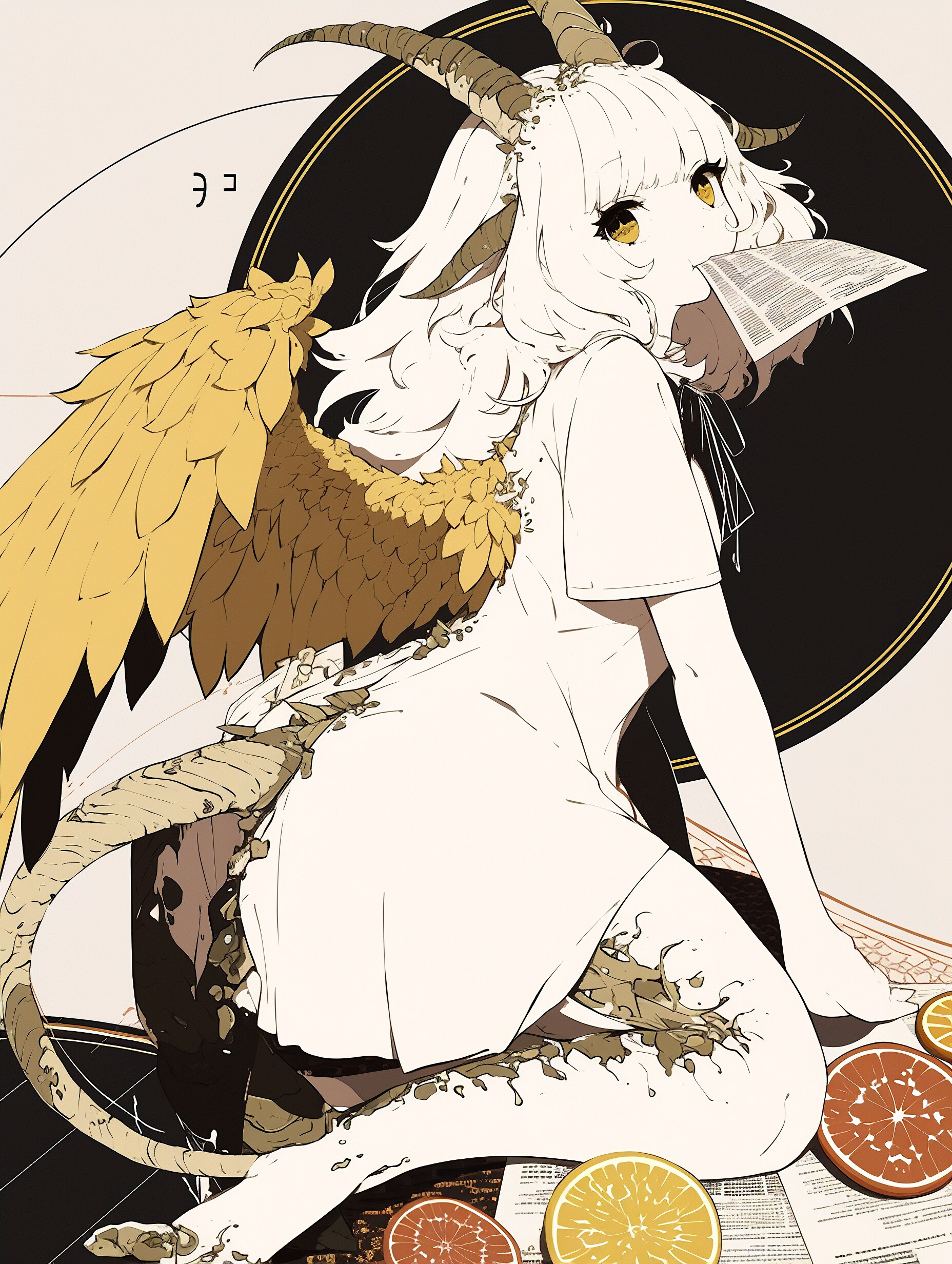
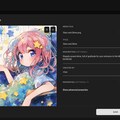
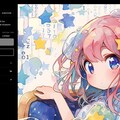
A chimera who is eating an important contract.
*
独自コントラクトというものをご存知ですか? 食べられないですよ?
かつては発行に高度な情報技術を求められた独自コントラクトのNFTですが、今やノーコードで作れるようになりました。
ここでは、Manifoldというサービスで独自コントラクトNFTを発行するまでの流れをご紹介させていただきます。
前提知識ですので、最初にコントラクト(スマート・コントラクト)のご説明をさせていただきます。
コントラクトとは、ある条件が満たされたとき契約どおりに取引を自動実行するプログラムをいいます。
と言っても、ITに馴染みのない方にはピンと来ないかもしれません。
自動販売機をご想像ください。お金を入れてボタンを押すと飲み物が出てくる。
乱暴な言い方をしますと、ブロックチェーンのスマート・コントラクトはあの四角い箱と同じです。
飲料の値段やおつりの計算方法=契約内容が前もって決められていて、お金=ネットワーク手数料が投入されるから動きます。
NFTを作るためにはこのコントラクトが必要です。
コントラクトは、NFTの生産工場とも言えます。コントラクトの中にNFTの設計図が入っているのです。
そんなコントラクトのうち、NFTマーケットプレイスがユーザに提供するNFT発行機能によく用いられる仕組みが共有コントラクトです。サイト利用者が同じコントラクトを使ってNFTを発行するので、共有コントラクトと呼ばれています。
一方、独自にチェーン上に作成されたコントラクトは、独自コントラクトと呼ばれます。
共通コントラクトを他社工場とするなら、独自コントラクトは自社工場です。つまり、共通コントラクトのNFTは他人の工場を借りて作った製品、独自コントラクトのNFTは自社工場で生産した製品と言えるでしょう。
工場の所有者が違うぶん、生産者にとってはメリットとデメリットが顕著に表れます。
独自コントラクトはコストの増加と引き換えに、機能実装やロイヤリティの自由を得て、第三者を介さずトラストレスに運営できます。
共有コントラクトは生産(デプロイ)費用がかからない分、第三者のルールに従い、限られた環境下での運営を余儀なくされます。
高価でオリジナリティ溢れる前者と、安価でお手軽に楽しめる後者、というふうにコレクターの目には映るでしょうか。
もちろん、ブロックチェーンの本来の思想に近いのが独自コントラクトであることは言うまでもありません。
時勢の目まぐるしく移り変わるブロックチェーン界隈です。共有コントラクトのNFT発行サービスの仕様変更や、閉鎖も珍しくありません。
最悪の場合、メディアをローカルサーバで保管しているサービスが閉鎖して、そこで発行されたNFTが機能しなくなる危険もあります。
NFT発行に独自コントラクトを採用することは、活動を長期的に継続するうえでも有効な手段です。
ひととおりご説明したところで、Manifoldで独自コントラクトのNFTを発行していきます。
制作時に利用したサイトは、外部リンクを貼っておきます。
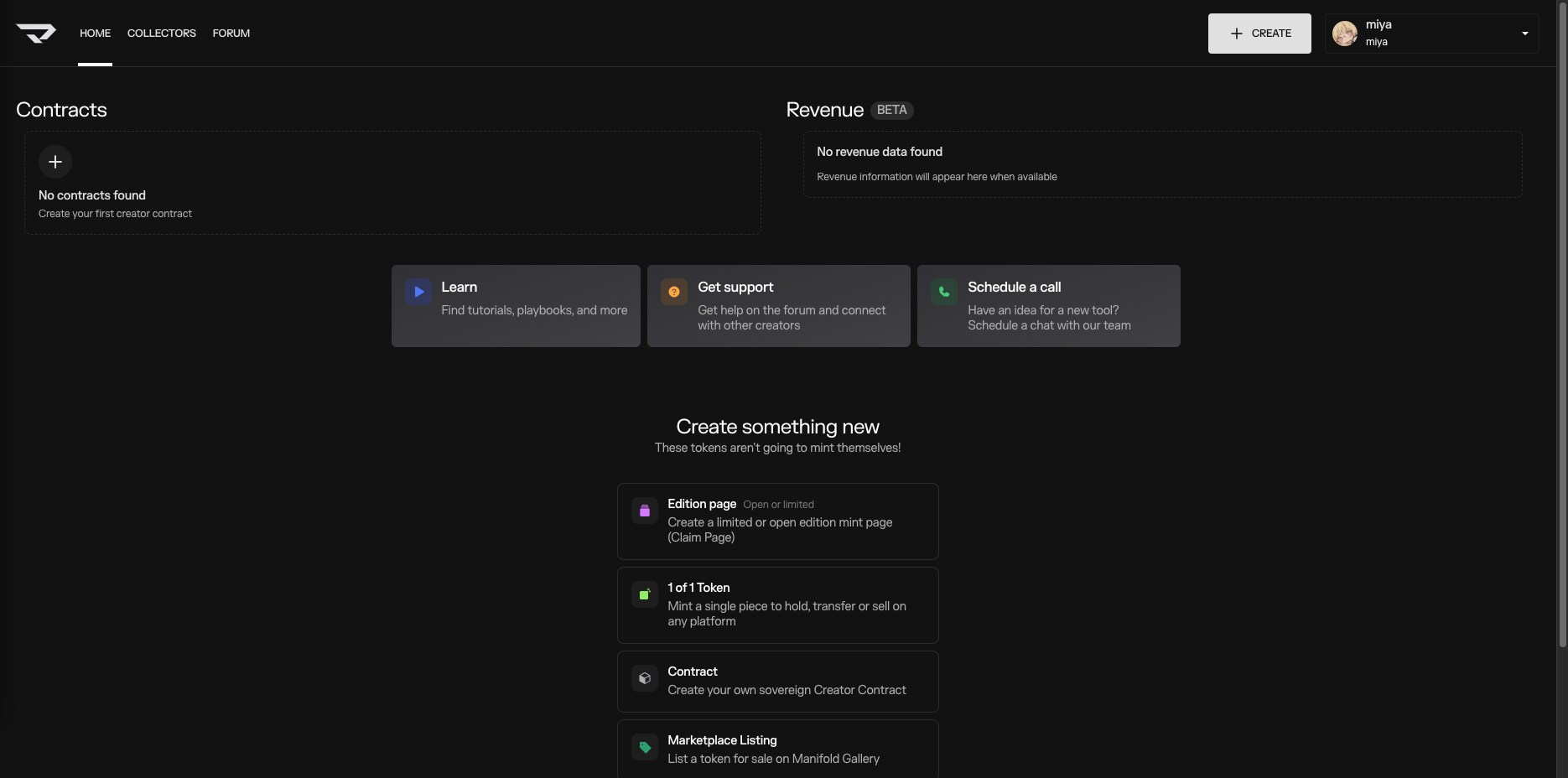
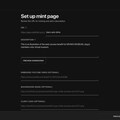
2枚目: ホーム画面
Manifold StudioのHome画面を開きます。
https://studio.manifold.xyz/
今回はERC-1155のNFTを発行+フリーミント配布ページを作成するので、Edition pageを選択します。
もしERC-721のNFTを任意のウォレットにミントする場合は、1 of 1 Tokenを選びます。
端末にウォレット(秘密鍵)を未インストールの場合は、ConsenSysのマルチチェーンウォレットMetamaskがおすすめです。
https://metamask.io/
インストールの際は詐欺を回避するため、公式のSNSアカウントやブックマークからアクセスするなど細心の注意を払いましょう。
ブロックチェーンの基礎にはここでは深く触れませんが、秘密鍵が銀行でいうところの口座のパスワードで、ノンカストディアルであることは覚えておいてください。自販機にサポートを求めても返事は返ってきません。あなたの鍵を管理できるのはあなただけです。
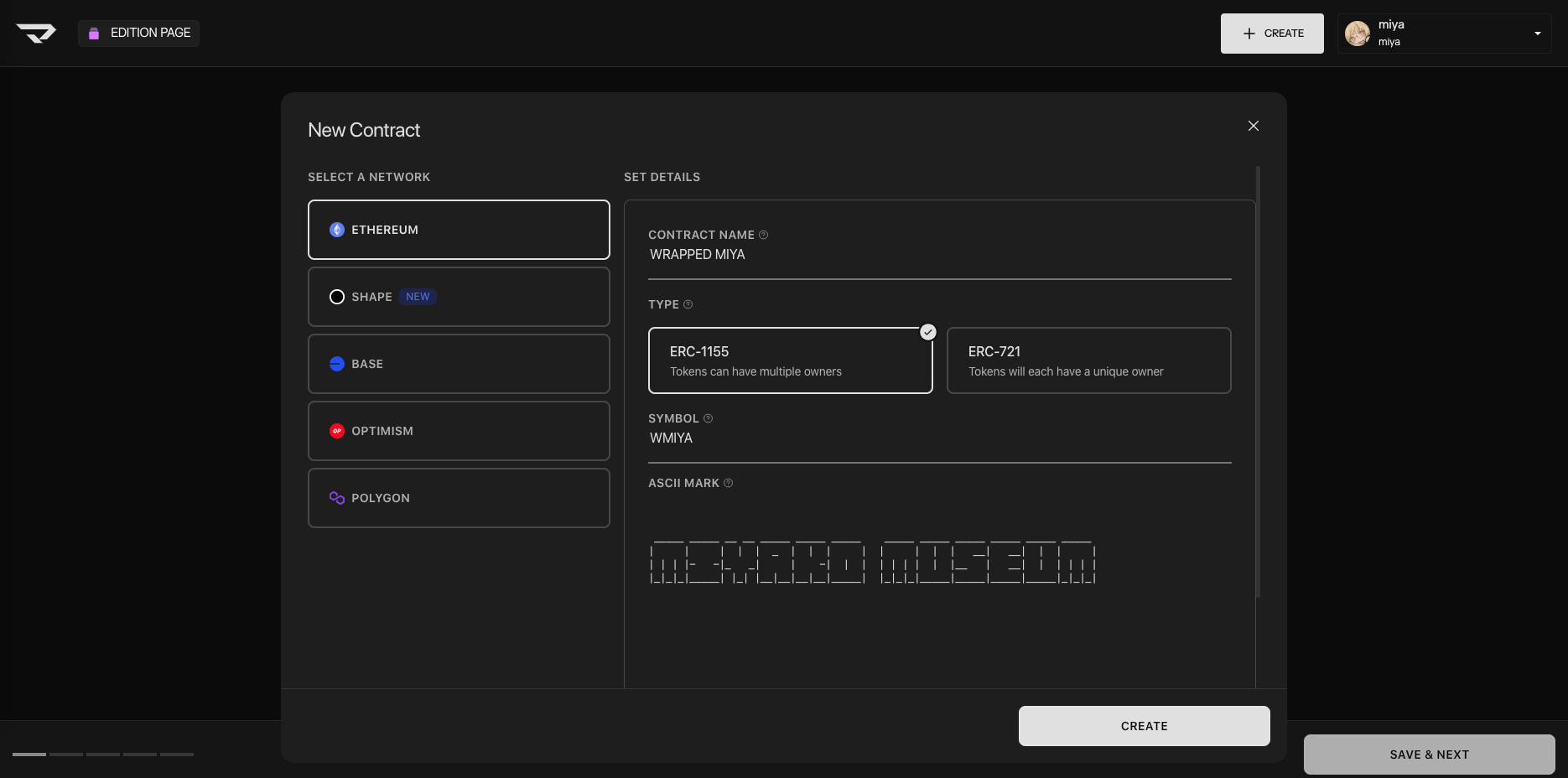
3枚目: 新規コントラクト
NFTを発行するネットワークと規格を選択、コントラクト名・シンボル・アスキーマークを入力します。
シンボルは、CoinMarketCapなどのサイトで暗号資産のティッカーを参考にすると決めやすいと思います。
https://coinmarketcap.com/
WMIYA(WRAPPED MIYA)は、WETH(Wrapped Ethereum)やWBTC(Wrapped Bitcoin)のもじりで名前を付けました。
贈り物用にエディションのNFTを作ることが目的でしたので、包装したかったんです。
アスキーマークは以下のようなサイトで簡単に作れます。
https://patorjk.com/software/taag
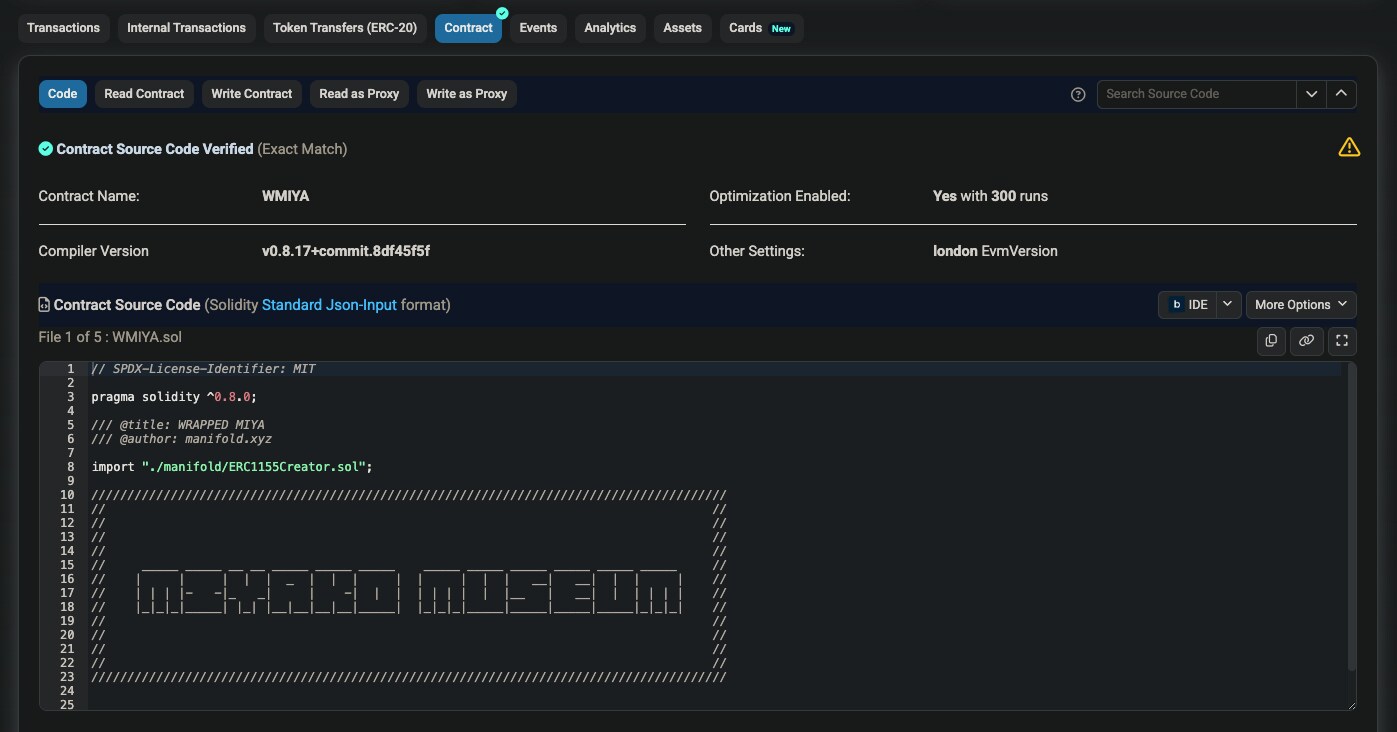
4枚目: アスキーマーク
コントラクトのソースコード内でアスキーマークが実際に使われた箇所です。
コントラクト作成完了後にEtherscanで確認できます。
https://etherscan.io/
5枚目: メディア
メディアファイルをアップロードしてタイトル・制作者などを入力します。
説明とプロパティは必須ではありませんが記載すればメディア同様、分散型ストレージArweaveにメタデータとして記録できます。
6枚目: ミントページ
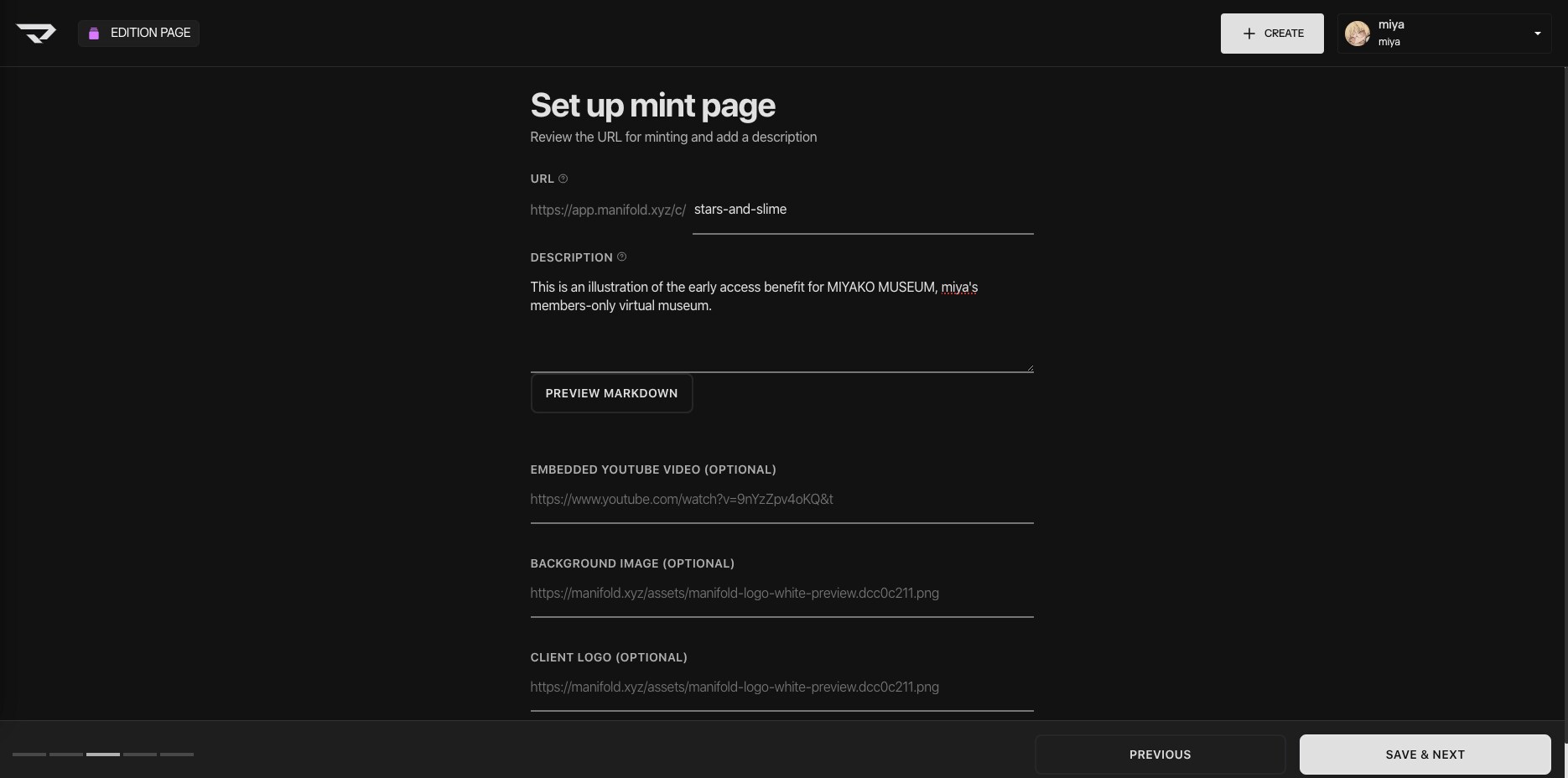
ミントページに表示する説明を記入します。
URLは自動的に作成されますが、変更することも可能です。
なお、Google DevelopersではURLにアンダースコアではなくハイフンの利用が推奨されています。
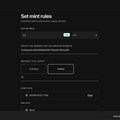
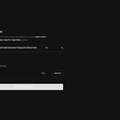
7枚目: ミントのルール
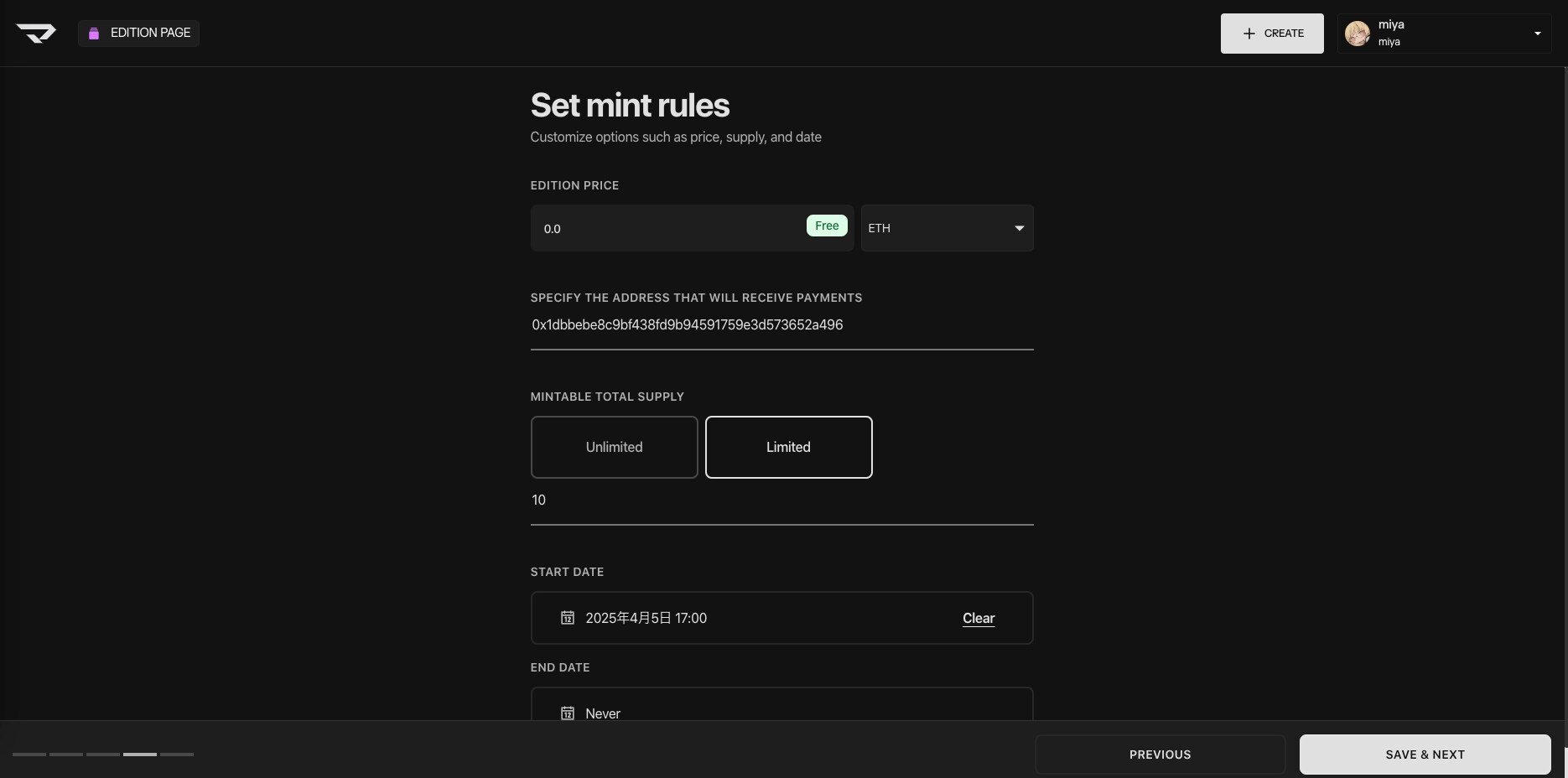
価格と支払い通貨、NFTの発行上限数、開始・終了年月日を設定します。
今回は、フリーミント・供給数10・終了日なしに設定しました。
支払い受け取り用のアドレスには、公開鍵が自動で入っています。
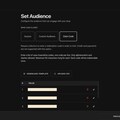
8枚目: 配布先
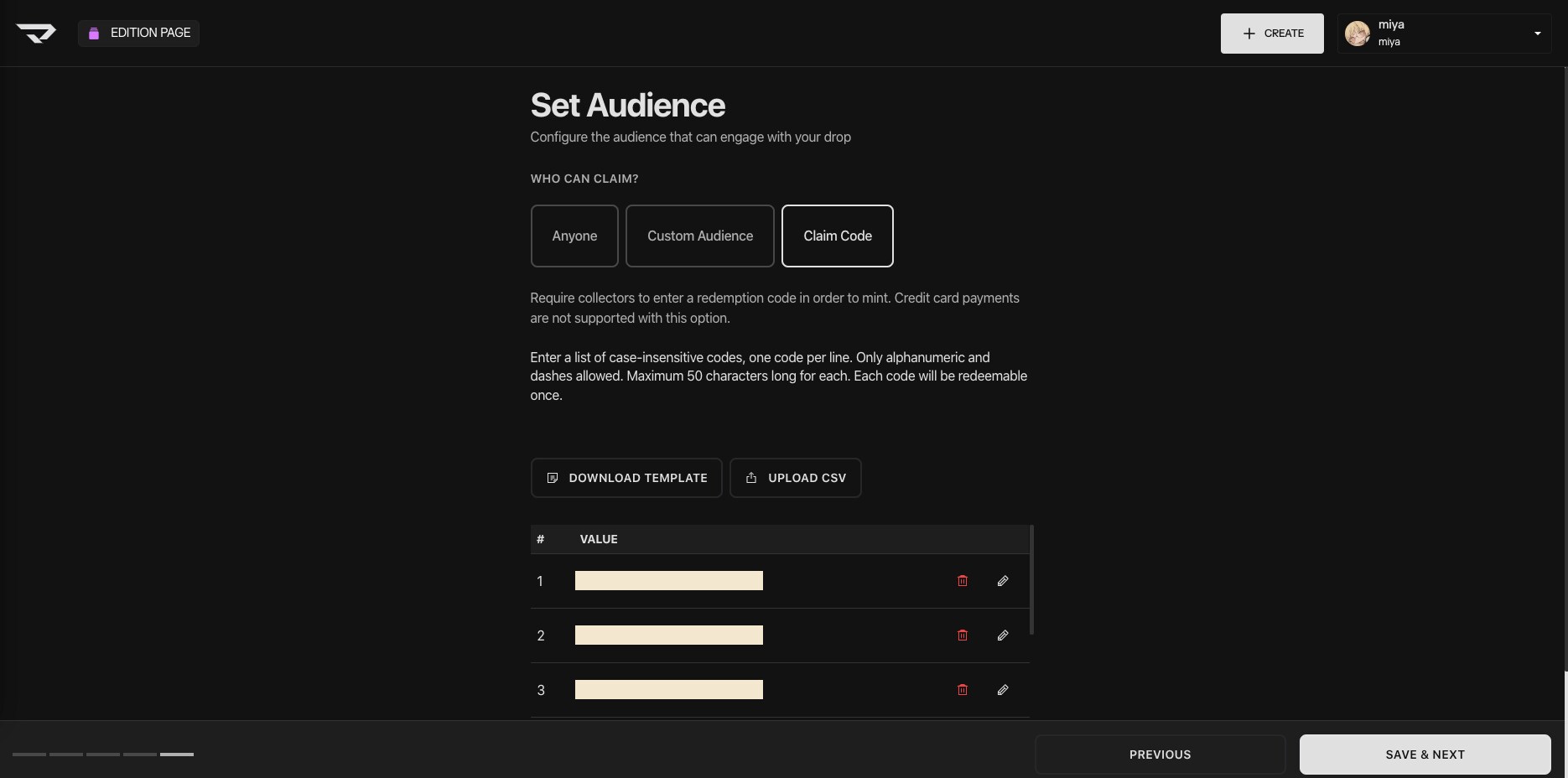
ミントする権利を誰に付与するかを設定します。
Anyoneなら誰もが、Custom Audienceなら指定したウォレットの持ち主や、事前に作成した特定のトークンをスナップショット時点で所有していた人が、Claim Codeなら請求コードを知っている人がミントできます。
AnyoneとCustom Audienceはミント上限数を指定することができます。Claim Codeはコード1つにつき1点、1回限りのミントが可能です。
ミントのルールと組み合わせることで、柔軟な流通の仕組みを構築することができます。
請求コードの作成には下記ランダム文字列生成ツールを利用させていただきました。
https://apps.hayu.io/random
請求コードを用いた終了年月日指定なしの限定数フリーミント、という今回の配布はエアドロップに近い方法だと思います。
フリーミントという配布方法を敢えて選んだ理由は、欲しいと思ってくださる方の手元に確実にお届けするためです。
無料だし貰えるなら貰いたい、がエアドロ的な発想だと思いますが、そこに僅かでも費用がかかるとなると話が変わってきます。
ミントのガス代(ネットワーク手数料)を払ってまで欲しくはないから貰わなくていいや、というある程度の請求の抑止力になります。
過去にエアドロしたりされたりした経験ありきの考えなので誰もがそうだとは思いませんが、館長はそうです。現金ですね。
9枚目: 発行
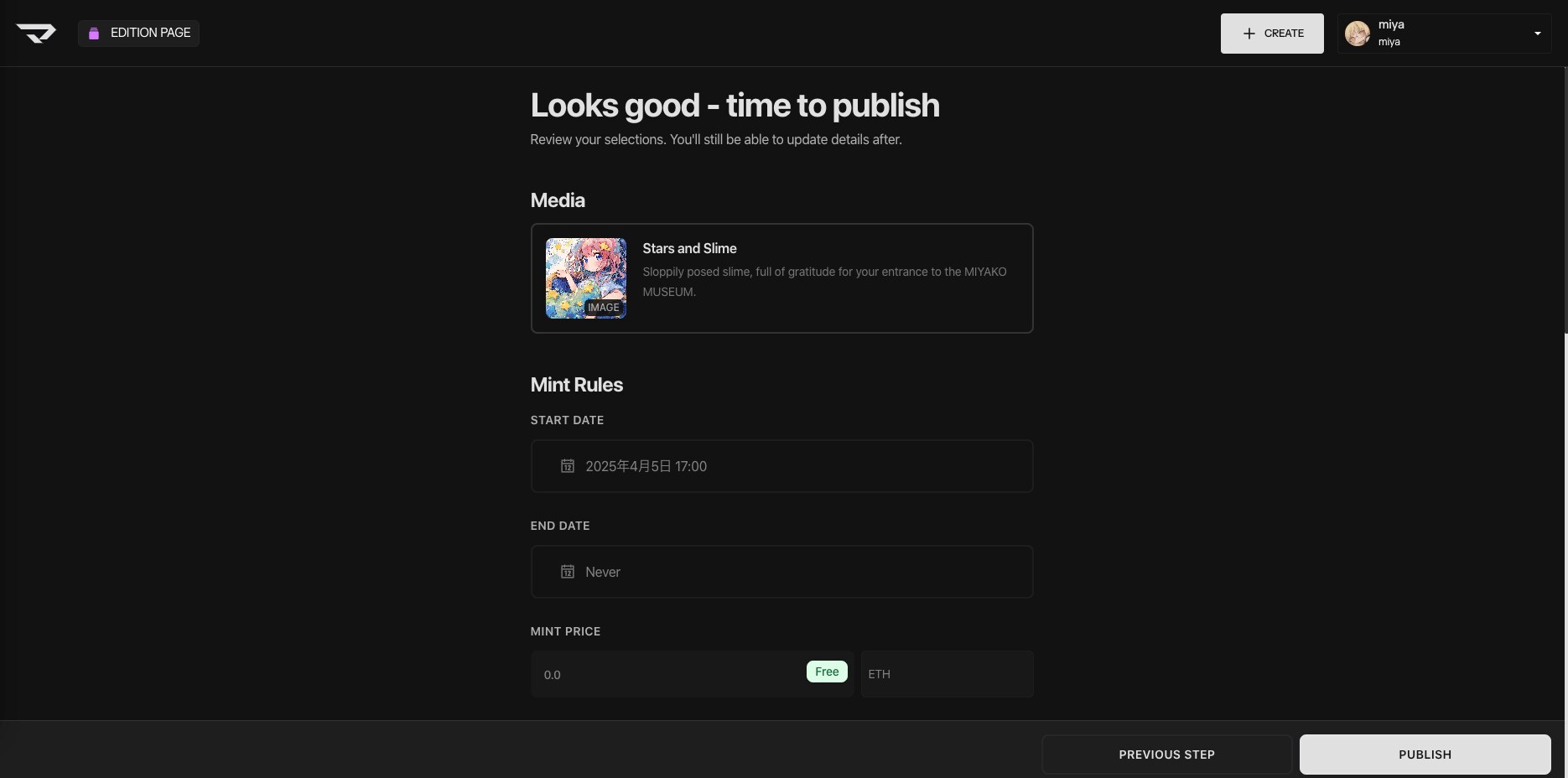
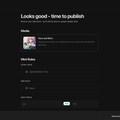
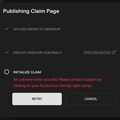
ここまでに入力した内容を確認して、問題がなければNFTを発行します。
ブロックチェーンはデータの改竄に強い代わりに、データを変更するコストが高くつきます。Manifoldにはガス代を支払えば一部内容を修正できる機能が実装されていますが、基本的には修正不可です。ここから先の作業は慎重に行いましょう。
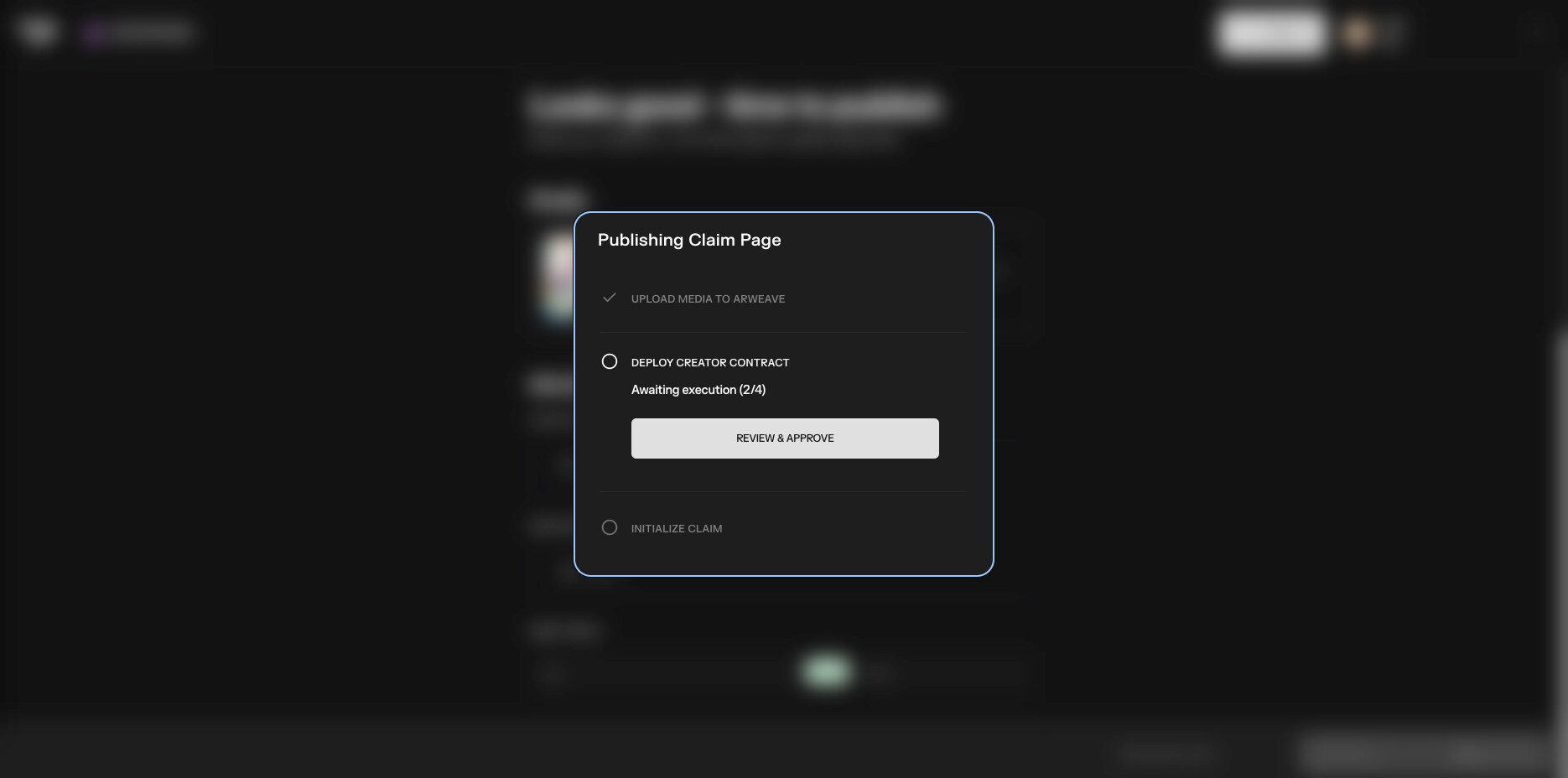
10枚目: コントラクトのデプロイ
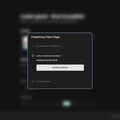
PUBLISHボタンを押すとArweaveへのメディアのアップロードが始まります。
その後、コントラクトの配備でトランザクションの要求が来ますので承認します。
その際のガス代が高騰している場合は、急ぎでなければ日付や時間帯をずらしても良いかもしれません。
現在のおおよそのガス代や、時間帯による手数料の遷移はEtherscanのトラッカーなどで確認できます。
https://etherscan.io/gastracker
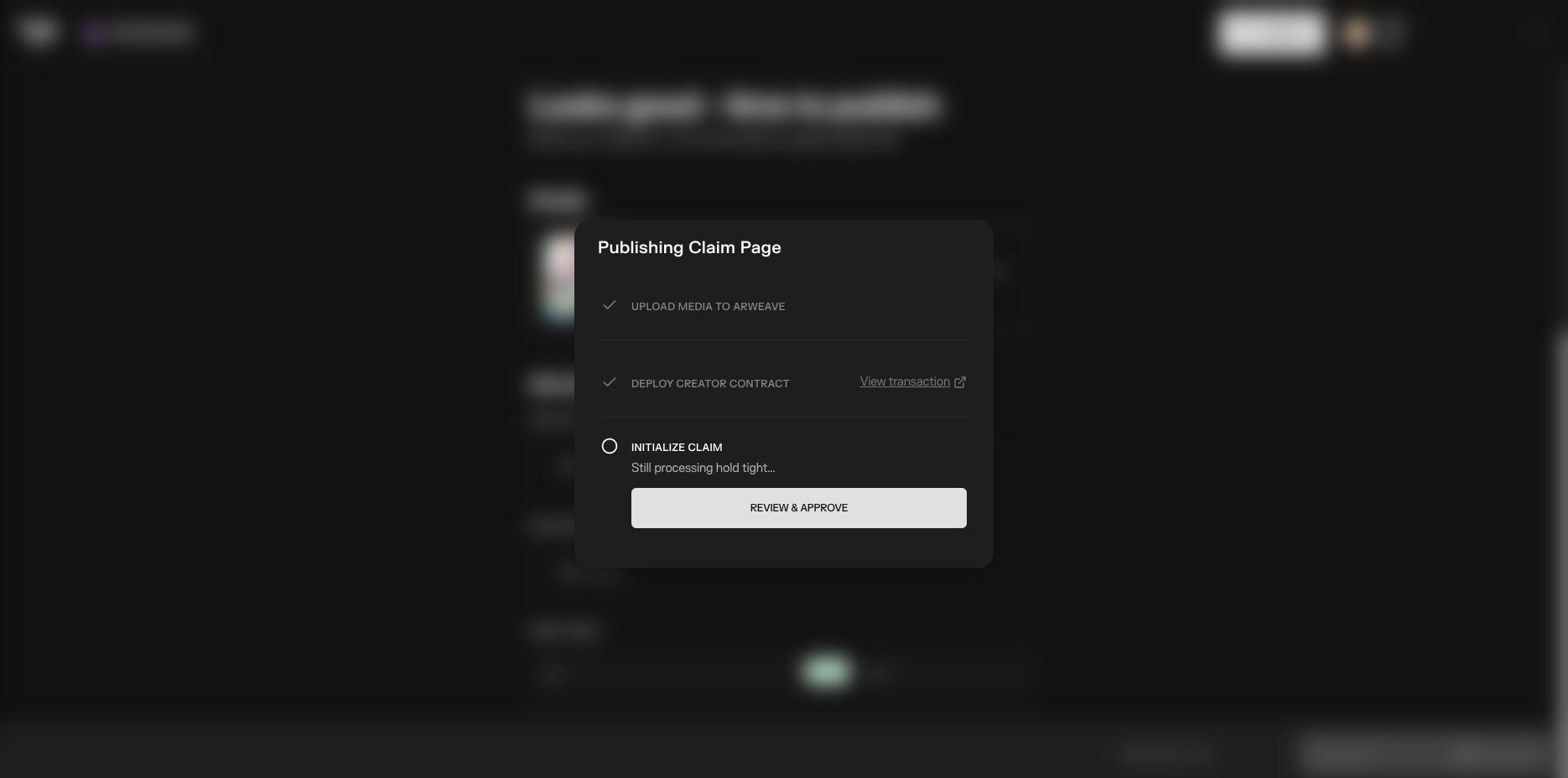
11枚目: 初期化
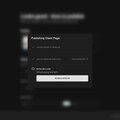
デプロイが完了して初期化が始まると、再度トランザクションの要求が来ますので承認します。
初期化が無事完了したら、発行したNFTの概要ページに自動的に遷移するものと思われます。
私はここでエラーが発生したような挙動になったので、正常動作を把握できていません。
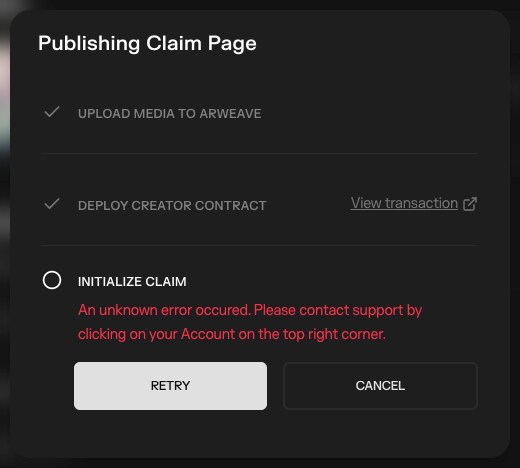
12,13枚目: 初期化エラー
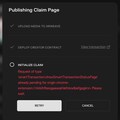
トランザクション承認後、12枚目のように赤文字が表示されました。
数分待っても変化がありません。RETRYボタンを押してみました。
今度は別のエラーが発生し、13枚目のように表示されました。
10分以上放置しましたが変化がありません。CANCELボタンでウィンドウをそっと閉じました。
14枚目: 発行完了
全部無かったことにして、戻るボタンで前画面へ何回か遷移したところで、唐突にこの画面に切り替わりました。
どうやら、ミントページの作成が完了したようです。登録していたメールにも同時刻に成功の通知が届きました。
12枚目の表示から30分近く経過していましたので、もしかするとそのくらい待っても良かったのかもしれません。
もし似た状況に遭遇したら、ブロックチェーンの動作の重さや、慌てふためくスライム好きを思い出して気長にお待ちください。
慌てて色々操作してガス詰まり(トランザクション処理の停止)でも起こしたら、さらに途方もない労力を費やすはめになります。
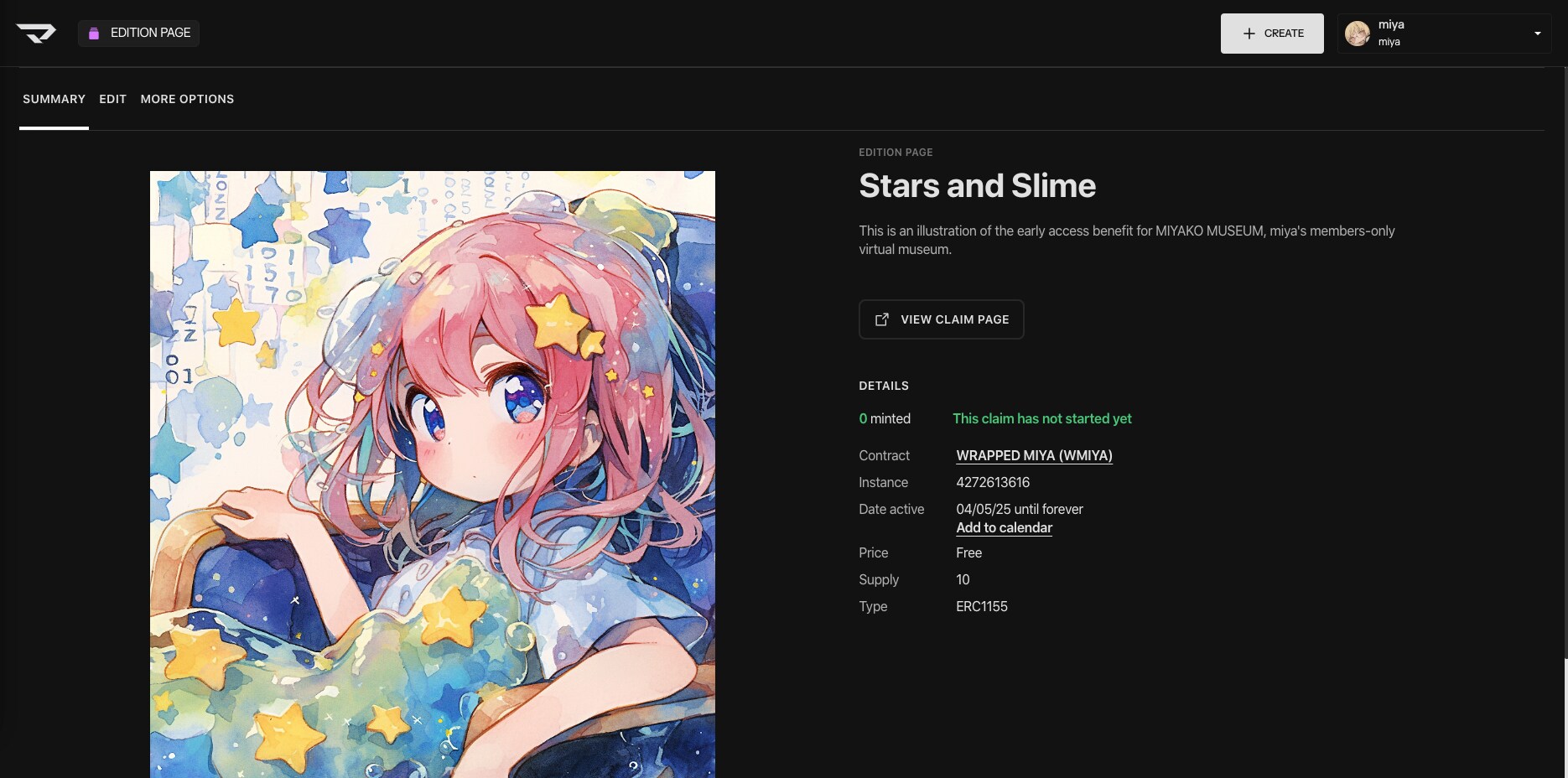
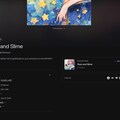
15枚目: 作成済みミントページ
VIEW CLAIM PAGEのリンク先に飛んでみると、ミントページが作成されていました。
詳細等の表示内容が正しいことを確認後、VIEW ON MANIFOLDに飛んでみました。
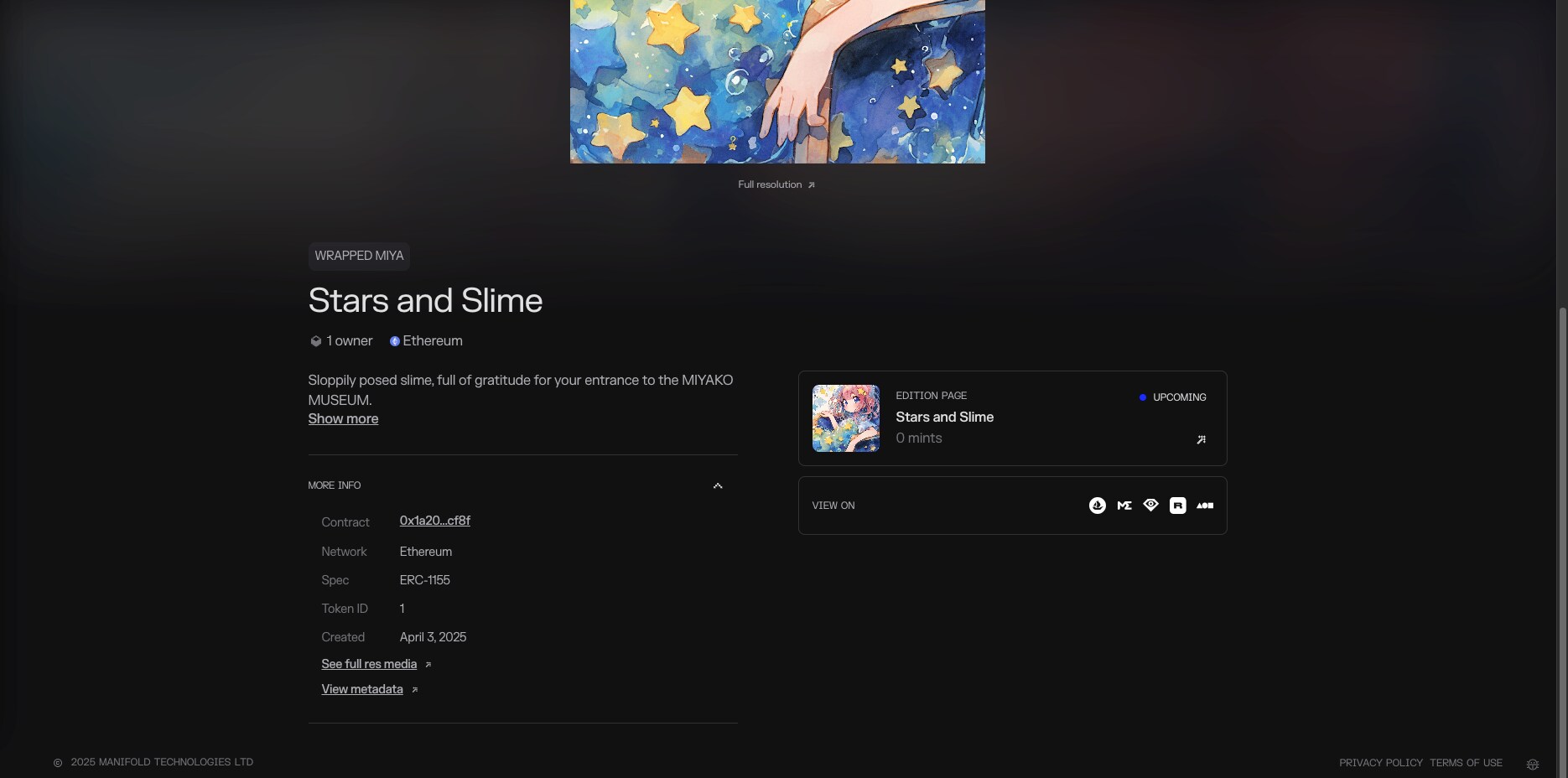
16枚目: ギャラリー
Manifoldのギャラリーにも正しく表示されています。フルサイズの画像とArweaveのメタデータに間違いがないことも確認できました。
Magic Eden以外のマーケットでは404 Error表示でしたが、これは各サイトの仕様の違いによるものと思われます。
ともあれ、コントラクト、NFT、ミントページの作成ともにこれで完了です。
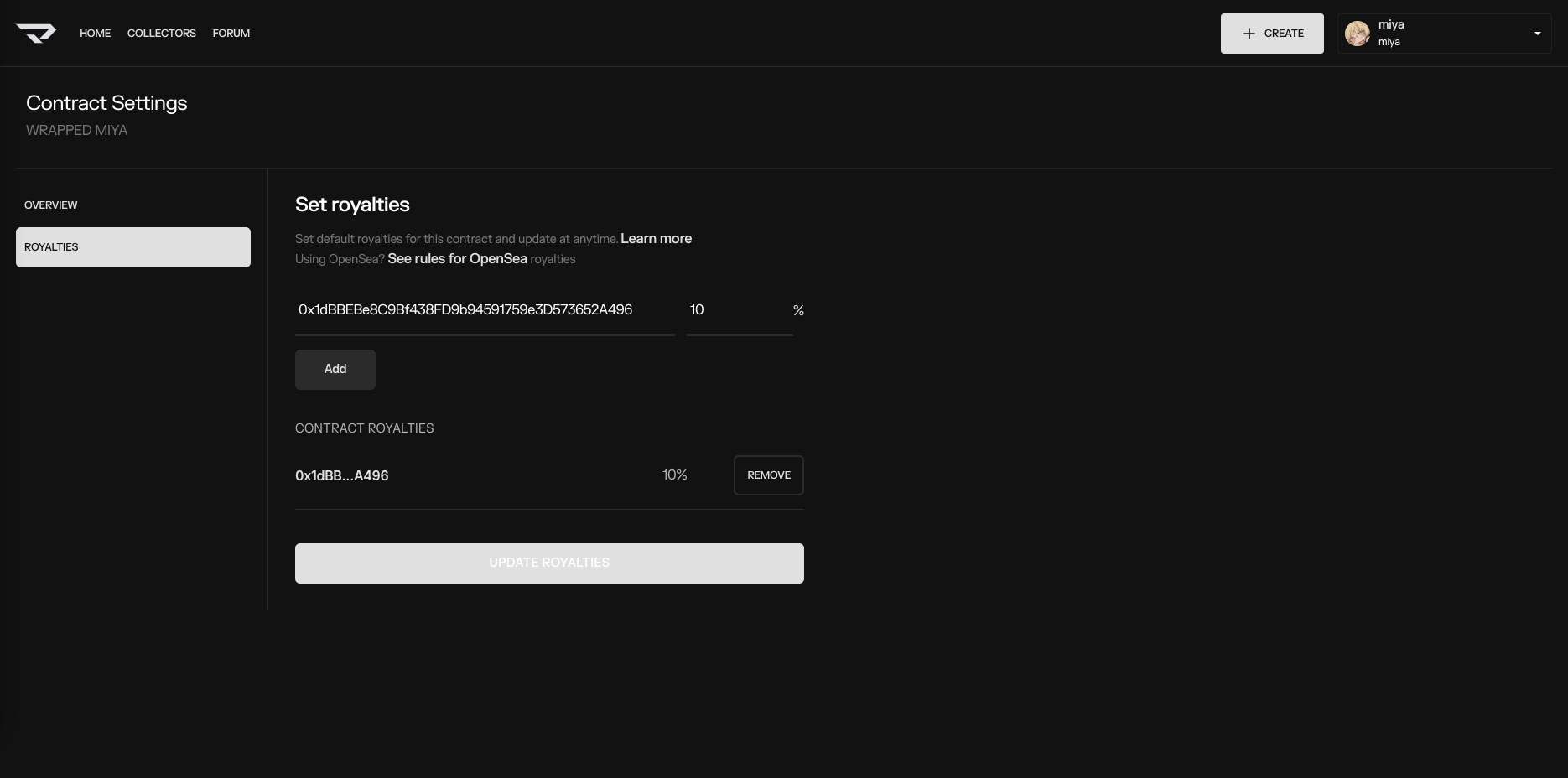
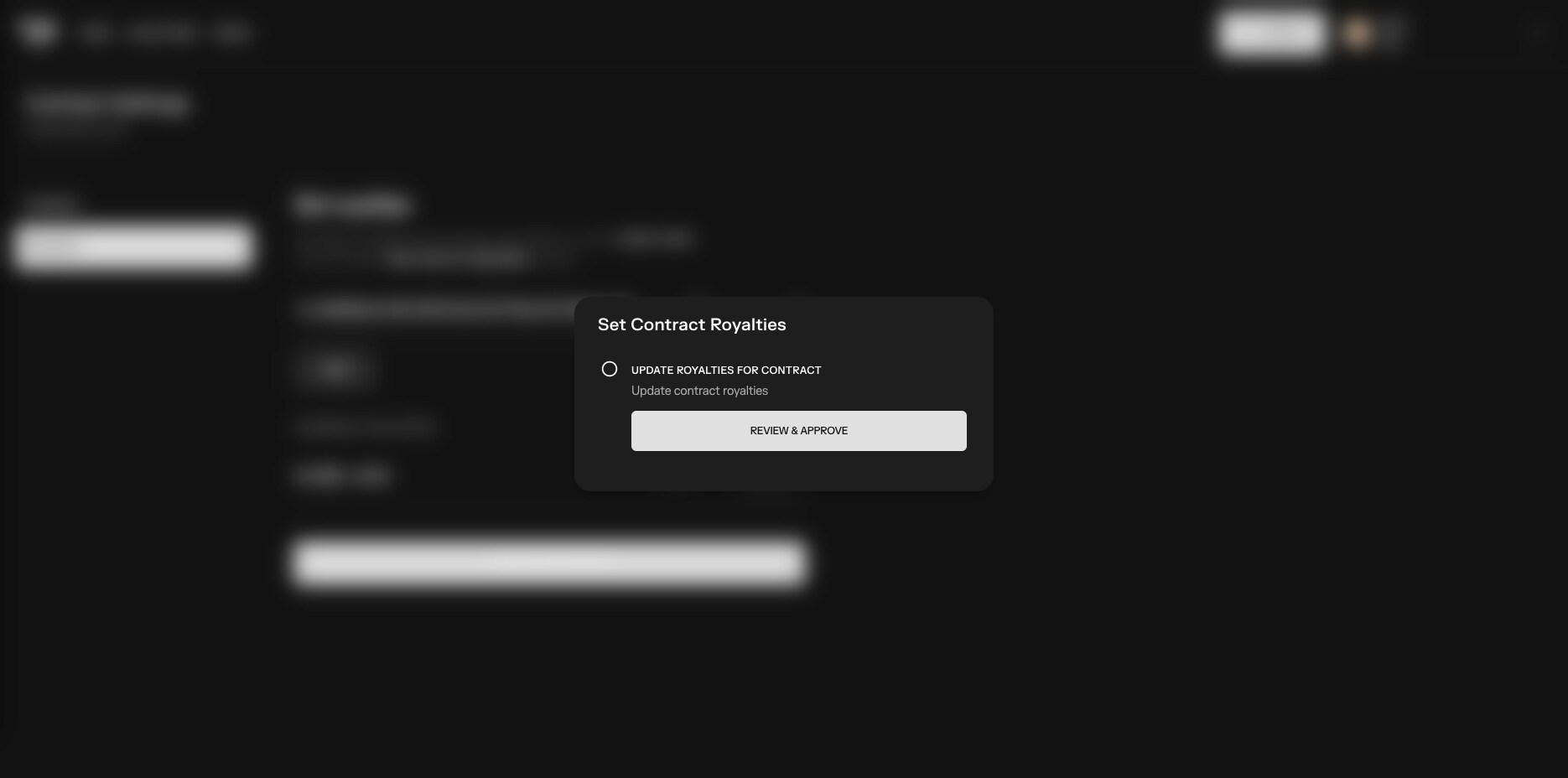
17,18,19枚目: ロイヤリティ
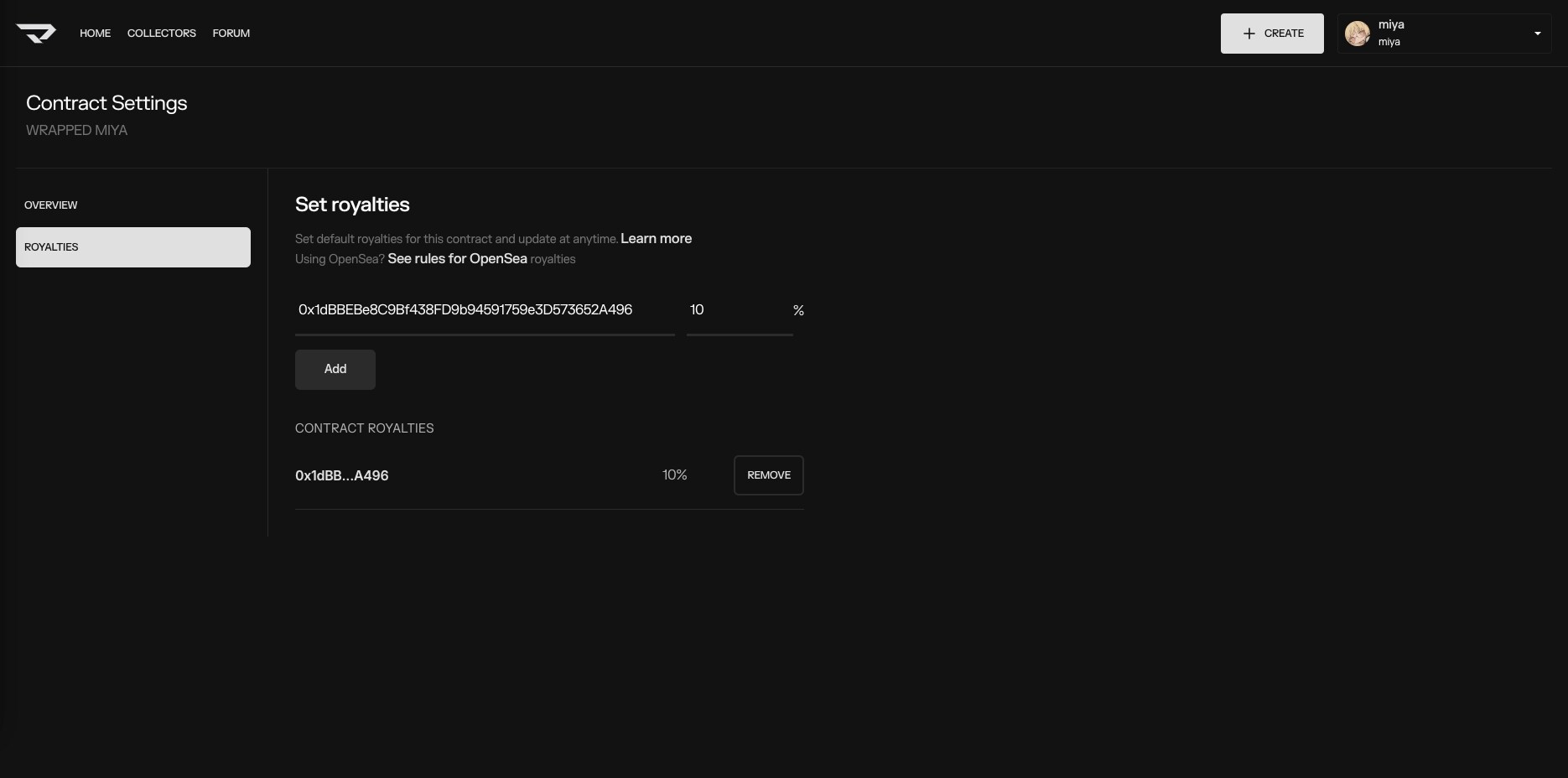
最後に、二次流通時のロイヤリティ設定を行います。
ホーム画面から作成したコントラクトを選択、SETTINGSボタンで17枚目の画面に移動。
18枚目、UPDATE ROYALTIES実行時のトランザクションの要求を承認。
19枚目、設定に成功したらUPDATE ROYALTIESボタンが非表示になりました。
ロイヤリティはNFT所有者がそのトークンを売却した際、ここで設定したパーセンテージが製作者に自動的に入る仕組みです。
ロイヤリティ嫌悪の文化もありますが、二次流通時の制作者への利益還元はブロックチェーン技術無くしては実現できなかったことです。ロイヤリティの割合にもよりますが、作品の品質向上と活動継続のための正当な報酬だと個人的には考えます。
なお、OpenSeaの二次流通時のロイヤリティは別途設定が必要ですが、ここでは省略させていただきます。
以上、Manifoldで独自コントラクトとNFTを発行、フリーミントページを作成するまでの流れでした。
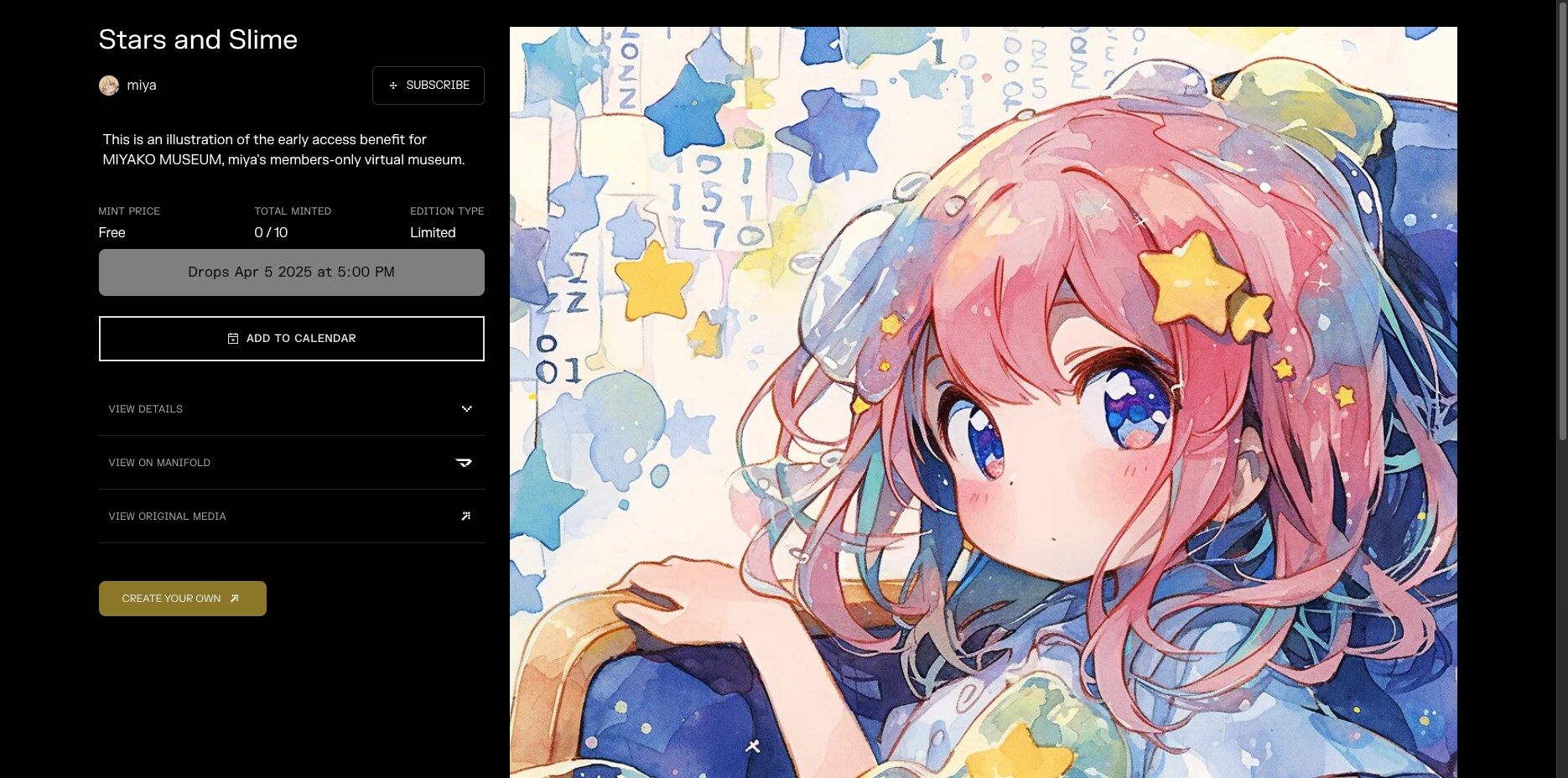
NFTとミントページ、およびNFT化したイラストにつきましては下記投稿をご覧ください。
最後までお付き合いくださり、どうもありがとうございました。
NFT無料配付「星とスライム」|NFT Freemint "Stars and Slime"
https://membership.chichi-pui.com/posts/images/6aaa6103-6109-4ac6-89c4-aeba964dd031/
イラスト: シュレッダーキマイラ #7
*
Have you ever heard of a original contract? (Japan only?) You can't eat it, sir.
Original contract NFT that once required advanced information technology to issue, can now be created with no code.
Here I'd like to introduce you to the process of issuing original contract NFT with the Manifold service.
Since this is prerequisite knowledge, I will first explain contracts (smart contracts).
A contract is a program that automatically executes transactions as contracted when certain conditions are met.
This may not be clear to those who are not familiar with IT.
Imagine a vending machine where you put money in and press a button and a drink comes out.
To put it crudely, a blockchain smart contract is like that square box.
It works because the beverage price and change calculation method = the contract is set up front and the money = network fees are put in place.
A contract is needed to create an NFT.
The contract can be seen as a production plant for the NFT. The NFT blueprint is contained in the contract.
Among such contracts, the mechanism often used for the NFT issuance function that the NFT Marketplace provides to its users is the shared contract. It's called a shared contract because site users issue NFTs using the same contract.
On the other hand, a contract created independently on the chain is called a original contract.
If common contracts are other companies' factories, unique contracts are their own factories. In other words, I would say that common contract NFTs are products made at someone else's factory, while unique contract NFTs are products made at our own factory.
The advantages and disadvantages for producers are more pronounced for the different factory owners.
In exchange for increased costs, original contract can operate trastress-free without a third party, with freedom to implement features and royalties.
Shared contracts do not incur production (deployment) costs, but they are subject to third-party rules and must operate in a limited environment.
NFT collectors may see the former as expensive and full of originality, and the latter as inexpensive and easy to enjoy.
Of course, it goes without saying that the closest thing to the original idea of the blockchain is its original contract.
Times are changing rapidly in the blockchain world. It's not uncommon for shared contract NFT issuance services to change specifications or even close down.
In the worst case scenario, the service storing the media on a local server could close down and risk the NFTs issued there ceasing to function.
Adopting a original contract for NFT issuance is an effective way to sustain activities over the long term.
Now that I have explained everything, I will create an NFT for the original contract in Manifold.
As for the sites I used for the production, I will put external links to each of them.
2nd image: Home screen
Open the Home screen of Manifold Studio.
https://studio.manifold.xyz/
This time I am going to issue an NFT for ERC-1155 + create a freemint distribution page, so I select "Edition page."
If you want to mint an ERC-721 NFT to any wallet, choose 1 of 1 Token.
If you do not have a wallet (private key) installed on your terminal, I recommend Metamask, a multi-chain wallet from ConsenSys.
https://metamask.io/
When installing the software, be very careful to access it from official social networking accounts or bookmarks to avoid scams.
I won't go into the basics of blockchain in depth here, but keep in mind that the private key is the password to your account, as in a bank, and it is non-custodial. If you ask for support from a vending machine, you will not get a response. Only you have control over your key.
3rd image: New Contract
Select the network and standard for issuing NFTs, and enter the contract name, symbol, and ASCII mark.
The tickers for crypto assets on sites such as CoinMarketCap are a good reference for symbols.
https://coinmarketcap.com/
WMIYA (WRAPPED MIYA) was named to mimic WETH (Wrapped Ethereum) and WBTC (Wrapped Bitcoin).
My goal was to make an edition NFT for a gift, so I wanted to wrap it.
ASCII marks can be easily made at the following sites.
https://patorjk.com/software/taag
4th image: ASCII Mark
This is where ASCII marks were actually used in the source code of the contract.
You can check with Etherscan after the contract creation is completed.
https://etherscan.io/
5th image: New Media
Upload the media file and enter the title, creator, etc.
The description and properties are not required, but if they are included, they can be recorded as metadata in the distributed storage Arweave, just like media.
6th image: Mint Page
Fill in the description to be displayed on the mint page.
The URL is automatically created, but can be changed.
Note that Google Developers recommends the use of hyphens instead of underscores in URLs.
7th image: Mint Rules
Set the price and payment currency, the maximum number of NFTs to be issued, and the start and end dates.
This time I set up a freemint, supply number 10, and no end date.
The address for receiving payment was automatically populated with the public key.
8th image: Audience
Sets who is granted the right to mint.
“Anyone" can be minted anyone, "Custom Audience" can be minted by the owner of the specified wallet or the owner of a specific pre-created token at the time of the snapshot, and "Claim Code" can be minted by anyone who knows the claim code.
"Anyone" and "Custom Audience" can specify a maximum number of castings. Claim Code can be minted only once, one item per code.
Combined with the mint rule, a flexible distribution structure can be established.
The following random string generation tool was used to create the billing code.
https://apps.hayu.io/random
I think this distribution, a limited number of free mints with no specified end date using claim codes, is a method similar to an airdrop.
The reason why I chose to distribute the Freemint is to ensure that it gets into the hands of those who want it.
The airdrop mindset is “It's free and if I can have it, I'll take it.” If there is even a small cost involved, it is a different story.
It serves as a deterrent to some extent, “I don't want it because I don't want to pay for Mint's gas (network fees).”
I think so because I have airdropped in the past and have been airdropped, but I don't think everyone thinks that way.
9th image: Publish
Check the information entered up to this point, and if there are no problems, publish the NFT.
While blockchain is resistant to data tampering, the cost of changing data is high; Manifold has implemented a feature that allows you to modify some of the content if you pay for gas, but it is basically unmodifiable. Be careful what you do from this point forward.
10th image: Deploy Contract
Press the PUBLISH button to begin uploading media to Arweave.
Then, the transaction request comes in with the deployment of the contract and you approve it.
If gas fees are rising at that time, it is advisable to shift the date and time unless you are in a hurry.
Current approximate gas costs and fee transitions by time of day can be found on Etherscan's tracker, for example.
https://etherscan.io/gastracker
11th image: Initialize Claim
Once deployment is complete and initialization begins, you will receive another transaction request, which you must approve.
After successful completion of the initialization, you may be automatically redirected to the summary page of the issued NFT.
I have not been able to ascertain the normal behavior as it behaved like an error occurred here.
12,13th image: Initialize Errors
After transaction approval, red text was displayed as shown in the 12th image.
I waited a few minutes, no change, tried pressing the RETRY button.
Now another error occurred, and it was displayed as shown in the 13th image.
I left it for more than 10 minutes, but there was no change, so I gently closed the window with the CANCEL button.
14th image: Publish Complete
I pretended the whole thing was not there, and after several transitions to the previous screen using the back button, I abruptly switched to this screen.
It appears that the creation of the mint page has been completed. A notification of success was sent to my registered email at the same time.
Almost 30 minutes had passed since the 12th image, so perhaps I could have waited that long.
If you encounter a similar situation, please be patient and remember the heavy operation of the blockchain and the panicky slime-loving human.
If the transaction process is halted due to a variety of hurried operations, you will be forced to expend even more tremendous effort.
15th image: Created Mint Page
I jumped to the VIEW CLAIM PAGE link and found that a mint page had been created.
After confirming that the details and other information displayed were correct, I flew to VIEW ON MANIFOLD.
16th image: Gallery
It also appears correctly in the Manifold gallery. I have also verified that the full size image and Arweave metadata are correct.
In markets other than Magic Eden, the 404 Error message was displayed, but this may be due to differences in the specifications of each site.
Anyway, this completes the creation of both the contract, NFT, and mint page.
17,18,19th image: Royalty
Finally, set the royalty rate for secondary distribution.
Select the contract created from the home screen, and press the SETTINGS button to go to the 17th image.
Approve the request for the 18th image, UPDATE ROYALTIES execution transaction.
19th image, the UPDATE ROYALTIES button is now hidden after successfully setting it up.
The royalty is a percentage set here that is automatically credited to the producer when the NFT owner sells its tokens.
Although there is a culture of royalty aversion, the return of profits to the creator during secondary distribution would not have been possible without blockchain technology. Depending on the percentage of royalties, I personally believe it is a just reward for improving the quality of the work and continuing the activity.
Note that royalties for secondary distribution of OpenSea need to be set separately, but will be omitted here.
The above is the process of issuing original contract and NFT with Manifold and creating a freemint page.
Please see the post below for the NFT and mint pages, as well as the NFT-ized illustrations.
Thank you very much for your patience with me to the end.
NFT無料配付「星とスライム」|NFT Freemint "Stars and Slime"
https://membership.chichi-pui.com/posts/images/6aaa6103-6109-4ac6-89c4-aeba964dd031/
Illustration: Shredder Chimera #7
*
(Model)
niji journey V6
(Upscaler)
unlimited waifu2x *2x / Model: swin_unet - photo / DeNoise: Medium / Tile: 640, Shuffle / TTA: 0 / Alpha Channel: Disable
(Last Seed)
766508560
(i2i Count)
1 time / Partial modification.
(Manual Adjustment)
White balance, Sharpness
Prompt:
solo, small monster girl, 9yo, eerie chubby tail, goat horn, chimaera, collage, cardboard craft style, eating news paper, cute illustration, kawaii, sanpaku eyes, facial super close-up, from side, dynamic angle, white hair, various fruit slices patterned background, vivid pose, simple design, fractal hourglass, unstable footing, transparency, beautiful aesthetics, exquisitely detailed cg, absurdres, highres, best quality:: --s 400 --niji 6 --sref 473314383 1461735607 1639968388 --no adult, elf, low contrast --ar 3:4
![【曲】あっち #61|[Song] That Way #61](https://chichi-pui.akamaized.net/uploads/membership/image_post_images/originals/562c0d97-03c8-4361-bcf3-31122ac5a955/2574779e-0e56-4f35-85ad-dd7fbc055ba6.jpg?impolicy=thumbnail&w=400&h=210.0&x=2942&y=1643)
【曲】あっち #61|[Song] That Way #61
全体公開
下記楽曲のアートワークとして制作しました。 Created as artwork for the music video below. ⬇↘⬊⇔↶ https://youtu.be/OvXnmUtUCP8 (Model) Midjourney V8.1 (Size) 5884 x 3292 pixels (Upscaler) unlimited waifu2x *2x / Backend: WebGPU / Model: swin_unet - photo / DeNoise: Medium / Tile: 640, Shuffle / Alpha Channel: Disable (Last Seed) 3934988473 (i2i Count) 0 time (Manual Adjustment) Sharpness Prompt: abstract, many long arrow symbols, summer fluorescent light, vibrant, pop, complex collage, realistic smooth marbling, ripples on graph paper, distortion, melting, dotted, ground and underwater, submerged, many randomize arrow symbols and transparency moths, tactiles, closed wings, spiral patterns, look away, a diverse array of glitch effects made from giant tiles, clear white, colorful, beautiful and ephemeral, high contrast, niche character design, kawaii chibi moth girl, hair made moths, wavy eyes, look away, flat illustration, intense marbling, complex patterned zentangle background, portrait, a moth lands on index finger, dynamic angle from oblique side, bright colors, wearing kente patterned dress, moth scales fluttering in the air, child's body proportions, nostalgic --v 8.1 --sref 1958468279::3 1256473810::1 2303749492::1 2770257201::1 779819511::1 2361630497::2 2690515967::1 970460098::2 657749254::2 --sw 175 --sv 6 --s 175 --ar 16:9 --hd
![【曲】あっち #60|[Song] That Way #60](https://chichi-pui.akamaized.net/uploads/membership/image_post_images/originals/652f2c51-f3ba-4d84-b245-91149d2b9bf6/578c8ce7-96ef-495b-ae2e-a81b750baf08.jpg?impolicy=thumbnail&w=400&h=210.0&x=2944&y=1750)
【曲】あっち #60|[Song] That Way #60
全体公開
下記楽曲のアートワークとして制作しました。 Created as artwork for the music video below. ⇋⬊↑↱⇵ https://youtu.be/IZnra1_chSw (Model) Midjourney V8.2 (Size) 5888 x 3296 pixels (Upscaler) unlimited waifu2x *2x / Backend: WebGPU / Model: swin_unet_v3 - Art / DeNoise: None / Tile: 640, Shuffle / Alpha Channel: Disable (Last Seed) 1946653550 (i2i Count) 0 time (Manual Adjustment) Merging 3 variations, Sharpness Prompt: complex,flat, inside cityscape with depth, surreal feel stylish collage, distorted graph paper, dotted, transparency, kawaii lost child who looking for a way in the distance, numerous viewpoints make one town, traffic sign, pop design, zentangle background, monochrome, two-tone coloring, exquisitely detailed, beautiful aesthetic, absurdres, highres --raw --s 80 --v 8.2 --p wnrrlfx --sref 1958468279::3 1256473810::2 2770257201::1 2303749492::1 637741383::2 3635554940::2 2374731863::3 3289275409::1 3304104388::1 298143307::3 --sw 40 --ar 16:9 --sv 6 --hd --seed 1946653550
![【曲】サキュバスは夜を失くした|[Song] Succubus Lost Her Night](https://chichi-pui.akamaized.net/uploads/membership/image_post_images/originals/5ace5bb5-4aab-4e62-8089-4144233cbd29/2055f6ec-4638-4a53-8f6d-b83a63ff59a0.jpg?impolicy=thumbnail&w=400&h=210.0&x=2944&y=1545)
【曲】サキュバスは夜を失くした|[Song] Succubus Lost Her Night
全体公開
夜はこない? Will night ever come back? * 下記楽曲のアートワークとして制作しました。 同名シリーズのイラストの元になった曲です。 自作曲をAIでアレンジ後、作編曲・ミックスして仕上げました。 Created as artwork for the music video below. This is the track that inspired the illustration series of the same name. I arranged my original composition with AI, then refined the composition, arrangement, and mix by hand. https://youtu.be/V_pLCwGzeKk (Model) Midjourney V8.2 (Size) 5888 x 3296 pixels (Upscaler) unlimited waifu2x *2x / Backend: WebGPU / Model: swin_unet - photo / DeNoise: None / Tile: 640, Shuffle / Alpha Channel: Disable (Last Seed) 767899878 (i2i Count) 0 time (Manual Adjustment) Merge 3 variations, Handwritten, White balance, Sharpness Prompt: A slender succubus girl standing across from the single bed in a hotel bedroom, open the curtains with one hand and staring expressionlessly at the beautiful fragmental city’s distorted 16k transparent nightscape outside. An extremely dynamic tilted shot taken from just behind below the close-up face. Looking up at the tops of the skyscrapers towering outside the window. Dramatic contrast of backlighting and shadow created by chiaroscuro. Bare light bulbs hanging from night sky. tilted vertical stripe and window blinds background, exquisitely detailed kawaii modern cartoon style surrealistic photograph, drawn with delicate fine lines, bold tilted composition, carm colors and vibrant solid colorful dots, blunt bangs, coquettish, wing, tail, horn, half opened large eyes, wearing open back short-sleeved and short-legged cute pajamas, absurdres, highres --raw --s 120 --v 8.2 --p wnrrlfx --sref 1958468279::3 1256473810::2 2770257201::1 2303749492::1 637741383::2 3635554940::2 2374731863::3 3289275409::1 3304104388::1 298143307::3 3905775254::3 707737553::1 --sw 30 --ar 16:9 --sv 6 --hd --exp 10
![【曲】あっち #59|[Song] That Way #59](https://chichi-pui.akamaized.net/uploads/membership/image_post_images/originals/ad0fcfe8-0dc1-4688-8d08-e6ff471e37c2/7ee00372-1bcf-4f74-a583-a760166163f2.jpg?impolicy=thumbnail&w=400&h=210.0&x=2944&y=1638)
【曲】あっち #59|[Song] That Way #59
全体公開
下記楽曲のアートワークとして制作しました。 Created as artwork for the music video below. ↝↝↘↑ https://youtu.be/8y2POvS_YTc (Model) Midjourney V8.2 (Size) 5888 x 3296 pixels (Upscaler) unlimited waifu2x *2x / Backend: WebGPU / Model: swin_unet_v3 - Art / DeNoise: Low / Tile: 640, Shuffle / Alpha Channel: Disable (Last Seed) 3803296444 (i2i Count) 0 time (Manual Adjustment) Handwritten, Sharpness Prompt: fractured illusion: abstract modern cubism of a face, distorted and deformed, slightly tilted head, set against vertical stripe arrow symbols background, strong brush strokes create a powerful portrait, mixed media bold composition, textures, focusing only on the head, rabbit girl, muted clear colors, blunt bangs, bow, coquettish, exquisitely detailed kawaii cartoon style, absurdres, highres, 16k --raw --s 120 --v 8.2 --p wnrrlfx --sref 1958468279::3 1256473810::2 2770257201::1 2303749492::1 637741383::2 3635554940::2 2374731863::3 3289275409::1 3304104388::1 298143307::3 --sw 40 --ar 16:9 --sv 6 --hd
他のクリエイターの投稿

 17
17
女子部員が実に気になる
100コイン/月以上支援すると見ることができます

ねこなみさくら
 5
5
How much of the past can we truly perceive as it was?
500コイン/月以上支援すると見ることができます

fftgzipb
 7
7
ブルーダリアちゃん
100コイン/月以上支援すると見ることができます

ミラ
 38
38
健全なヤツいろいろ
500コイン/月以上支援すると見ることができます

いち

絵柄指定比率研究成果①
100コイン/月以上支援すると見ることができます

尾藤みそぎ

10月のゲスト
100コイン/月以上支援すると見ることができます
ミラ
 2
2
ファミレス‥
100コイン/月以上支援すると見ることができます

rakia20002000
 7
7
ちびだんごちゃん🍡✨371~377
100コイン/月以上支援すると見ることができます

まーるのおだんご工房🍡✨
 7
7
キスしたい二人のJK288~294
100コイン/月以上支援すると見ることができます

まーるの別荘
 7
7
ブルーダリアちゃん
100コイン/月以上支援すると見ることができます
ミラ
 35
35
いろいろ
500コイン/月以上支援すると見ることができます
いち
 16
16
第3章「古代遺跡で大騒ぎ」①
全体公開

ゆうこう
 2
2
フォトジェニック・ガールズ
100コイン/月以上支援すると見ることができます
rakia20002000
 34
34
【センチ~if~】永倉えみる:高〇生時代③~冬デート・光のページェント~
100コイン/月以上支援すると見ることができます

るんぽす

10月のゲスト
100コイン/月以上支援すると見ることができます
ミラ
 27
27
いろいろ
500コイン/月以上支援すると見ることができます
いち